Delete duplicate photos on iPhone
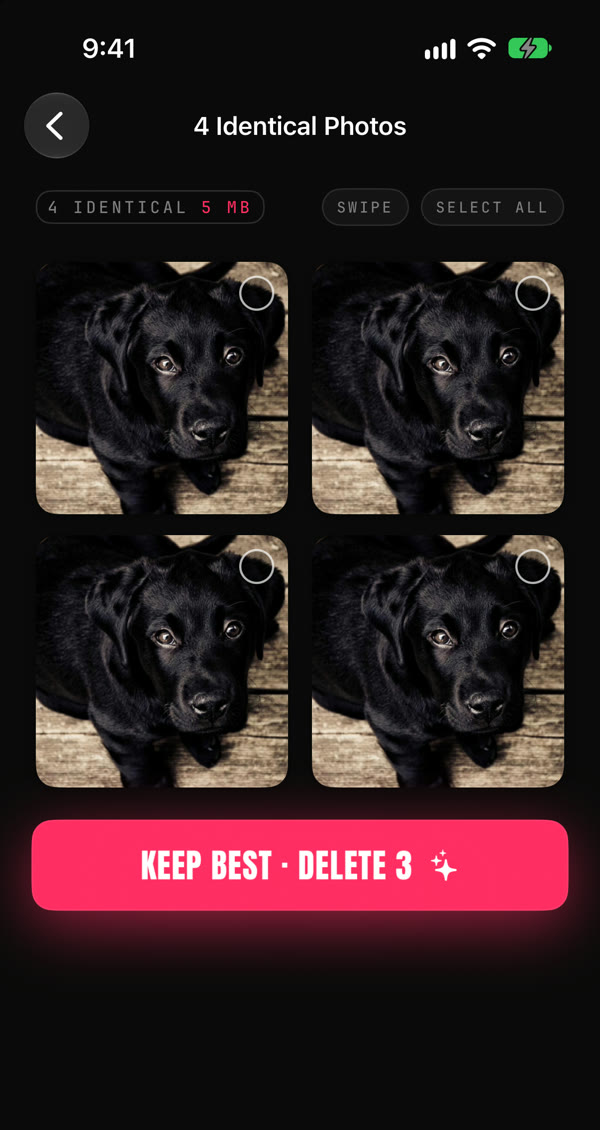
Open LuminaClean’s Clean tab and tap Dupes. It groups identical photos, and Clean All Dupes keeps the sharpest photo of each group and deletes the rest with one confirmation. Finding duplicates is free; deleting them is free for the first 65 photos or 1 GB, then 30 a day.
How to do it
- Open LuminaClean and let it scan your library. Scanning is free.
- In the Clean tab, tap Dupes. You see how many photos, how many groups and how much space the duplicates take.
- Tap Clean All Dupes to keep the sharpest photo of every group and delete the rest. iOS asks you to confirm once.
- Or open one group and tap Keep Best to go group by group.
- Deleted photos go to Recently Deleted for 30 days. Empty it to get the space back now.
The Similar chip does the same for near-duplicates: photos taken within an hour of each other that look almost the same, like ten takes of one selfie.
Without an app
Apple’s Photos app has its own Duplicates album on iOS 16 or later: open Collections, then Utilities, then Duplicates, and tap Merge. It keeps the highest-quality copy and moves the others to Recently Deleted (Apple’s guide). It is free and has no limit. Apple’s page covers duplicates; it doesn’t mention similar-looking shots.
Finding duplicates is free.
Deleting them counts toward free deleting: 65 photos or 1 GB to start, then 30 a day. Premium removes the limit.
Your photos are analyzed on your iPhone and never uploaded. We only collect anonymous usage stats.
LuminaClean is free on the App Store.
iPhone, iOS 17.6 or later. No account.
Questions
What is the best free app to delete duplicate photos on iPhone?
Start with Apple’s own Duplicates album in the Photos app: it is free, has no limit and handles exact copies. LuminaClean adds similar shots and a one-tap clean, with 65 free deletes or 1 GB to start and 30 a day after that.
Is deleting duplicates in LuminaClean free?
Finding them is free. Deleting is free for the first 65 photos or 1 GB, whichever comes first, then 30 photos a day. Premium removes the limit.
Which photo does it keep?
The sharpest one in each group. The screen doesn’t mark which one that is before you confirm. The others go to Recently Deleted, where you can recover them for 30 days.
Are my photos uploaded?
No. Your photos are analyzed on your iPhone and never uploaded. We only collect anonymous usage stats.
More detail: four ways to delete duplicate photos on iPhone, compared.