See your photos from this day in past years
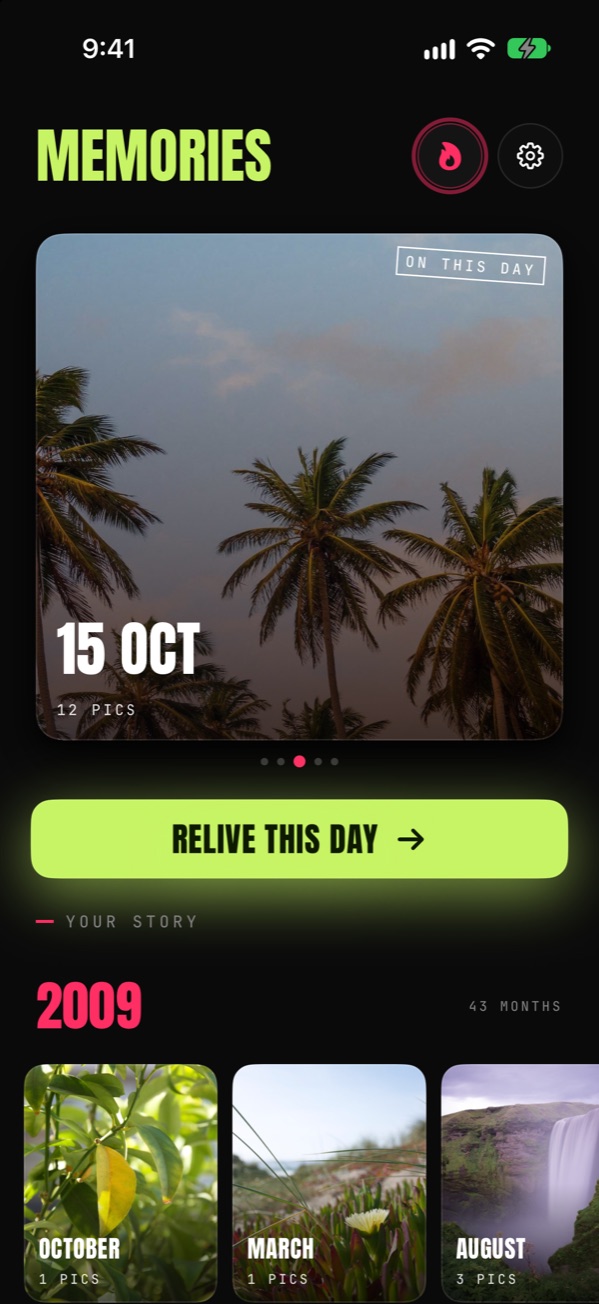
Open LuminaClean and tap the Memories tab. The On This Day card shows the photos you took on today’s date in past years: tap Relive This Day to go through them, or swipe the card to see other days. Looking through them and sharing them is free.
How to do it
- Open LuminaClean and tap the Memories tab.
- The On This Day card shows today’s date and how many photos you took on it in past years.
- Tap Relive This Day to go through those photos.
- Swipe the card to see other days.
- Scroll down to Your Story for your library month by month.
Without an app
Apple’s Photos app can search by date: tap Search and type a date, such as a month or a year (Apple’s guide). On This Day does the looking for you: it opens on today’s date and you swipe to other days.
On This Day is free.
Looking through your memories and sharing them needs no Premium and no account. Deleting a photo from here counts toward free deleting: 65 photos or 1 GB to start, then 30 a day.
Your photos are analyzed on your iPhone and never uploaded. We only collect anonymous usage stats.
LuminaClean is free on the App Store.
iPhone, iOS 17.6 or later. No account.
Questions
How can I see my photos from this day in past years on iPhone?
Open LuminaClean’s Memories tab: the On This Day card shows the photos you took on today’s date in past years, and Relive This Day goes through them. In Apple’s Photos app you can also tap Search and type a date.
Is On This Day free?
Yes. Looking through On This Day and sharing from it is free for everyone, with no account. Deleting photos from it counts toward free deleting: 65 photos or 1 GB to start, then 30 a day.
Can I see other days, not only today?
Yes. Swipe the On This Day card to move to other days. Below it, Your Story shows your library month by month.
Are my photos uploaded?
No. Your photos are analyzed on your iPhone and never uploaded. We only collect anonymous usage stats.