100% On-Device · Private New in 3.6 · Daily 15 Challenge

Your screenshots have a new enemy

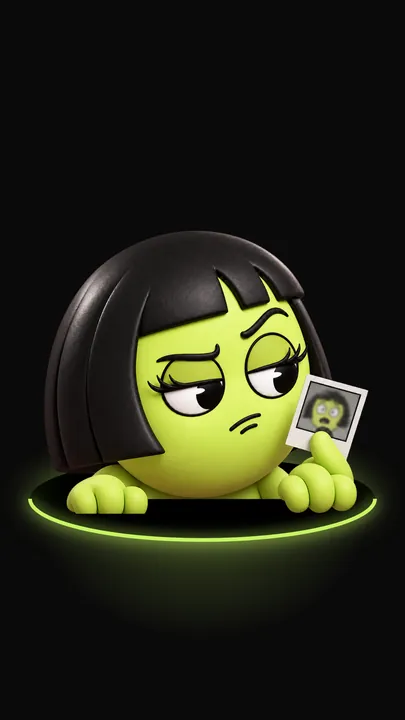
She's small, she's green, and she's always hungry. Lumina lives at the bottom of LuminaClean, counts your worst pile, and eats whatever you delete. Start free with 65 deletes, then 30 more every day. No account, nothing uploaded.

Download on the App Store
4.9 · Free Download

Not sure yet? Try the swipe in your browser →

1,847,293 photos cleaned and counting
Photos cleaned
1,847,293
and counting
App Store rating
4.9
free · no account

Guess your screenshot count. Go on.

Tap GET JUDGED and Lumina goes looking for your worst pile: screenshots, duplicates, receipts, bursts, blurry shots. You guess how many. She counts up. Then she points at you.

  1. 01

    Guess

    400? 900? Everyone lowballs.

  2. 02

    Count

    The real number counts up in front of you. It is never smaller.

  3. 03

    Verdict

    She points. She says one line. It lands.

  4. 04

    Answer

    I NEED THOSE, or FAIR. Then swipe through them, or clear the lot in one tap.

LUMINA'S VERDICT
1,249
Screenshots

1,249 captures of things you swore you'd read later. You didn't.

You guessed 400. Off by 849.

Well?

Lumina pointing at you

Sample verdict. Yours is counted on your iPhone and stays there.

Every delete is a meal

Every delete button feeds her. A few screenshots get a bored nibble. A thousand duplicates get a feast. She ends up stuffed, then fixes her hair like nothing happened.


Lumina chewing
A nibble.
Lumina stuffed after a big meal
A feast.
Lumina fixing her hair
Composure.

She is full.
You freed 1.2 GB

Everything she eats lands in Recently Deleted first. You have 30 days to take it back.
Everything you need to declutter your library

AI-powered tools that clean, organize, and help you rediscover your photo library.

🧠

Smart Photo Organization

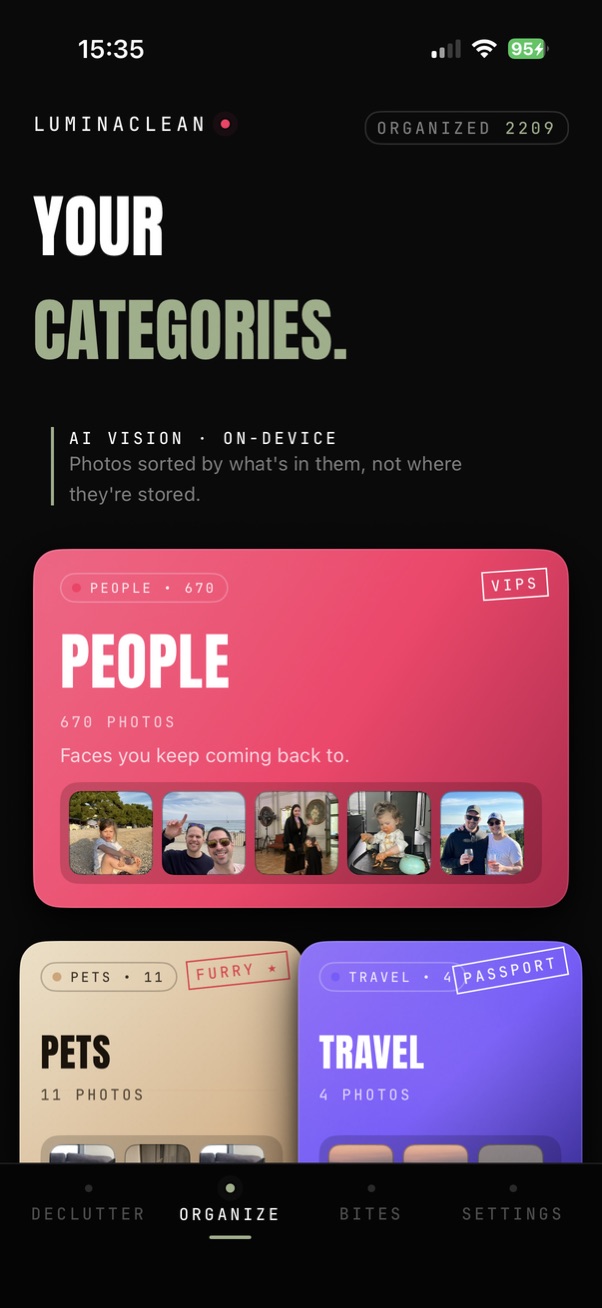
AI automatically categorizes your photos into smart albums — Pets, Food, Travel, Family, Nature, Architecture, and more. Browse your library like never before.

Duplicate Detection

Find exact copies and near-identical photos automatically. Free up gigabytes of wasted storage in minutes.

Swipe to Clean

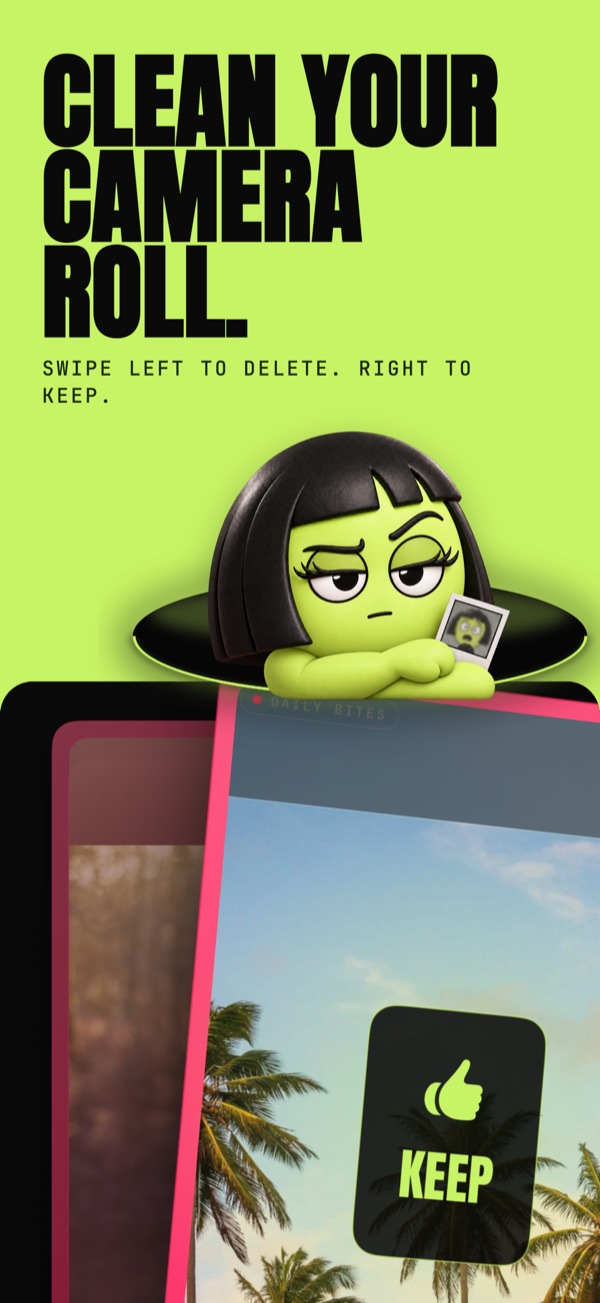
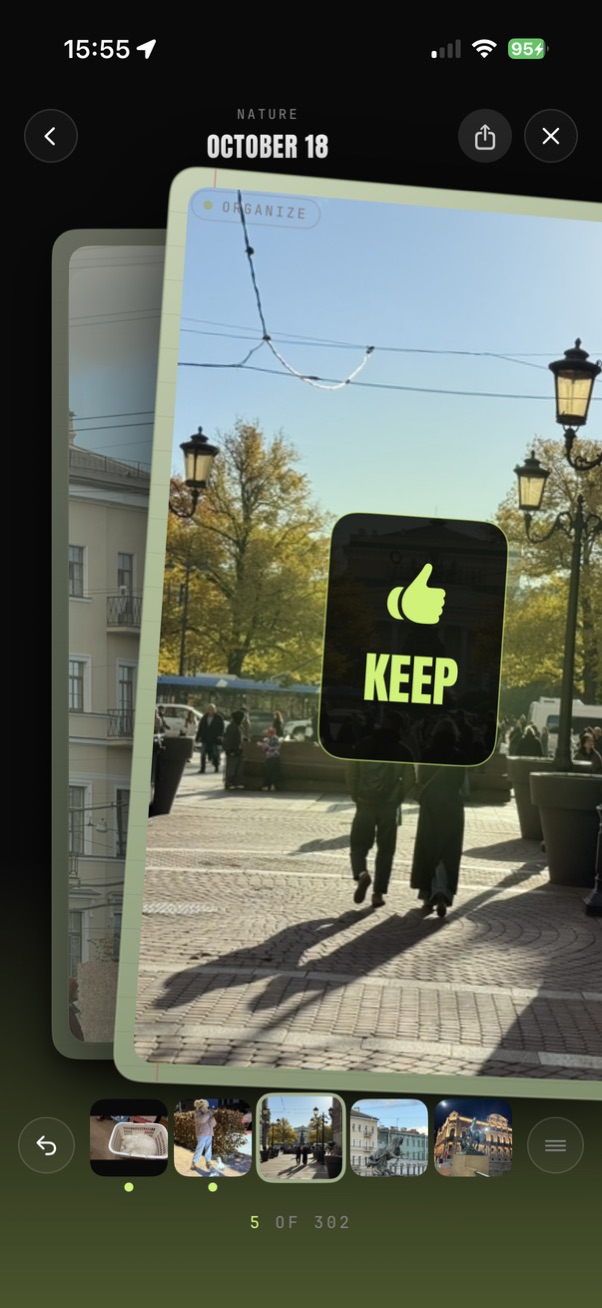
Tinder-style swiping makes cleanup fun. Swipe left to delete, right to keep — it's that simple.

Memories

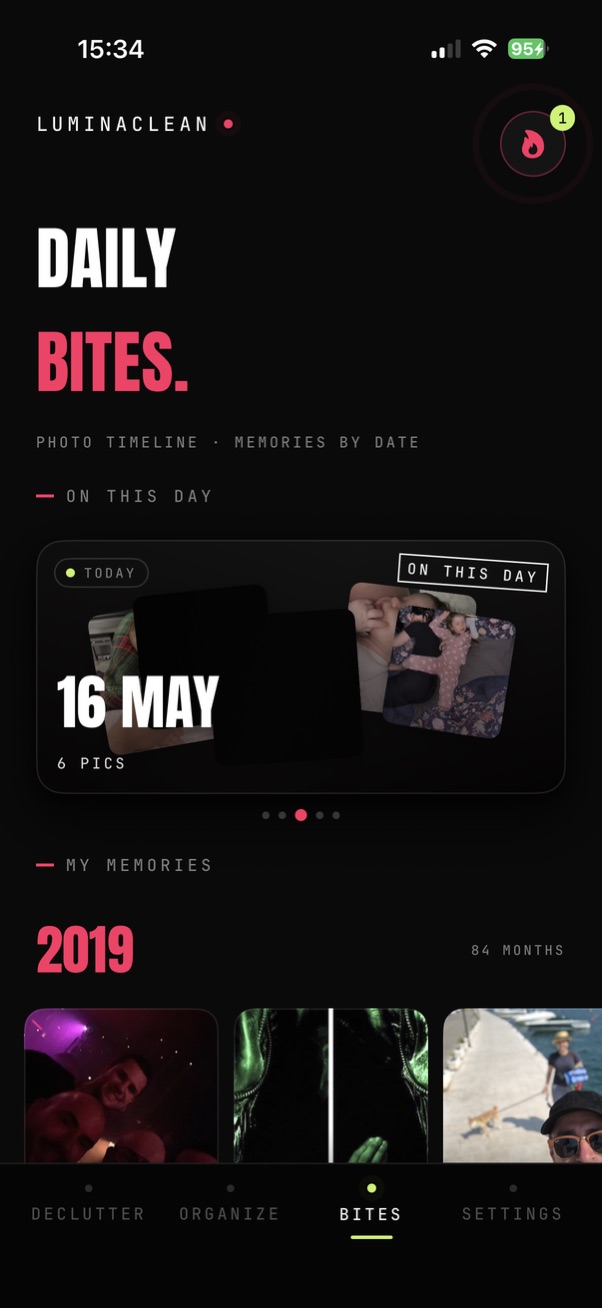
Browse your photo timeline daily. See "On This Day" memories, build streaks, and rediscover photos from years past.

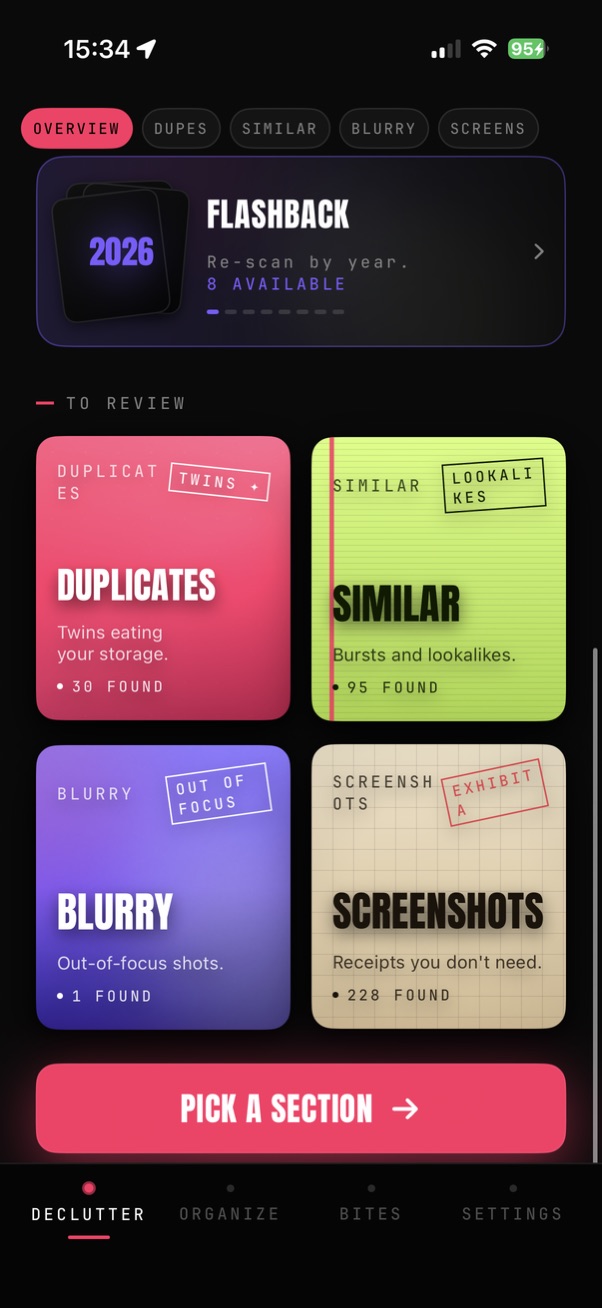
Flashback

Choose any year and scan just that period. Clean up 2024, 2023, or any era — one year at a time.

Similar Photo Finder

Took 10 shots to get one good one? Groups similar photos so you keep the best, delete the rest.

Blurry & Screenshots

AI spots accidental blurry shots and piles of old screenshots. Review and bulk-delete instantly.

FREE FOR ALL

Video Compression

Compress large videos with minimal quality loss. Works for everyone — no Pro required.

FREE FOR ALL

Daily Free Deletions

Start with 65 free deletions. Used them all? Come back tomorrow for 30 more — every day you return.

How it works

Light passes over your library.

On-device AI sweeps through every photo once, flagging duplicates, blurs, and screenshots. Nothing leaves your phone. It's fast, and it looks like what it is.

Scanning
2,418 / 12,094
LuminaClean Smart Categories: AI-sorted albums like People, Pets and Travel
Smart Categories
LuminaClean Swipe to Clean: keep or delete photos with a swipe
Swipe to Clean
LuminaClean Memories tab: On This Day memories and photo timeline
Memories
LuminaClean Flashback and cleanup sections: duplicates, similar, blurry, screenshots
Flashback
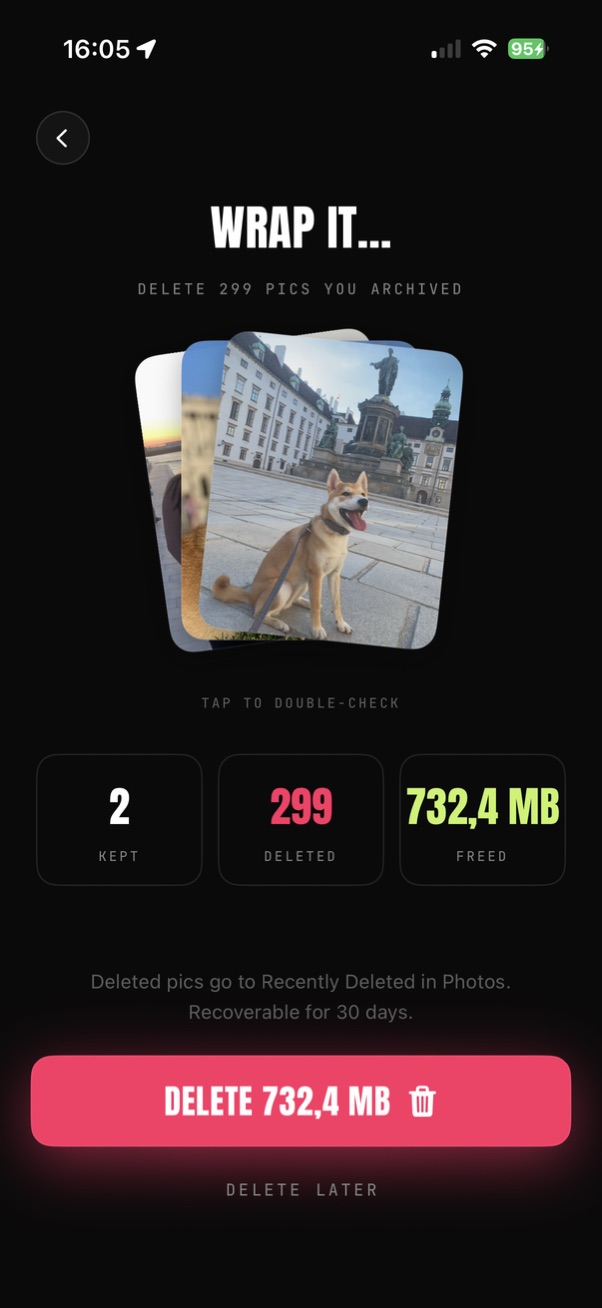
LuminaClean review screen: photos kept, deleted and storage freed before confirming
Review & Delete
01
Smart Categories
AI sorts photos into Pets, Food, Travel, Family, and more — browse your library like never before.
02
Swipe to Clean
Tinder-style swiping makes cleanup fun. Left to delete, right to keep — it's that simple.
03
Memories
On-This-Day flashbacks, streaks, and daily photo memories from years past.
04
Flashback
Pick any year and scan just that period — clean one era at a time.
05
Review & Delete
Preview what you'll free before confirming — kept, deleted, and space saved.

Your photos never leave your iPhone.

Your photos are analyzed on your iPhone and never uploaded. We only collect anonymous usage stats to improve the app and the user experience.

100% on-device processing
No photo uploads
No account required
Works in airplane mode

Loved by organized people

"The app is new, but a lot of functionality already! Helped me to clean duplicated and old screenshots and all the blurry pictures my kid made. Thanks!"

IS
Is Sem
App Store Review

"Removes duplicates without touching anything important. Quick, easy and a big time saver."

VZ
Vszymska
App Store Review

"The app is super helpful, it managed to clear a lot of screenshots and duplicates. It does what it suppose to do."

A1
And1246
App Store Review

"Banger ty chatgpt ✌️"

EW
Em21_w
App Store Review

Frequently asked questions

Lumina is the companion inside LuminaClean, new in version 3.4. She lives at the bottom of the screen, counts your biggest pile of screenshots, duplicates or receipts when you tap GET JUDGED, roasts your camera-roll habits (never the people in your photos), and eats whatever you delete. Her roasts come in 12 languages.

No. Her counts come from the same on-device scan the rest of LuminaClean uses. Nothing is uploaded, and the videos you share blur your thumbnails.

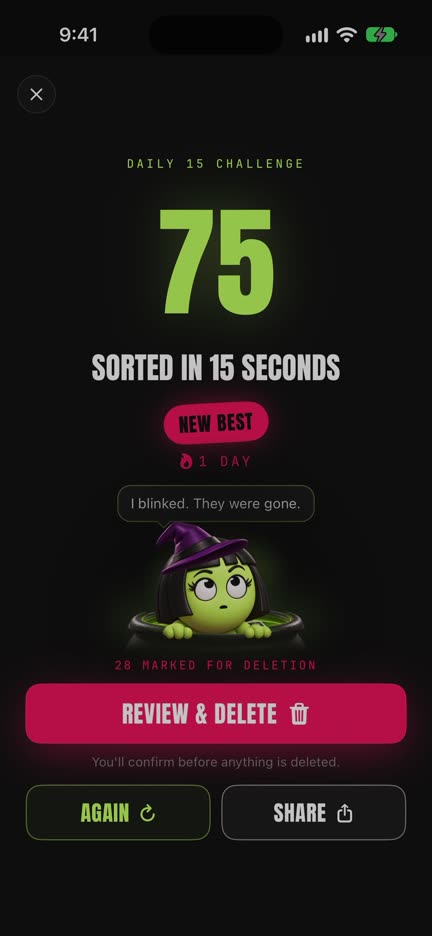
A 15-second round in LuminaClean's Clean tab, new in 3.6: sort as many photos as you can, swiping left to mark for deletion and right to keep, while a big counter climbs. Playing any round counts toward a daily streak, and your personal best stays on your iPhone. Nothing is deleted during the round; marked photos wait on the normal review screen, and deleting is never needed for the streak. Free to play. How a round works →

Apple's Photos app has no swipe-to-delete. In LuminaClean you swipe left to delete and right to keep, undo any swipe, and check every marked photo on a double-check screen before anything is deleted. Deleted photos go to Recently Deleted for 30 days. How swipe to delete works →

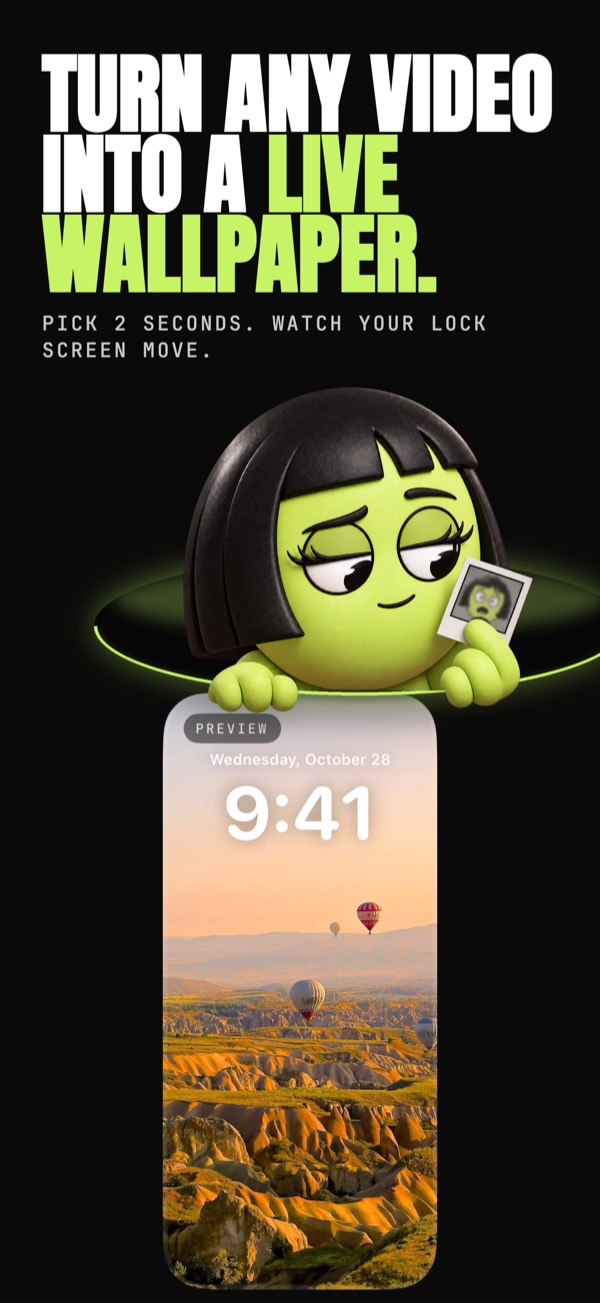
In LuminaClean's Create tab, pick a video, choose the 2-second moment and the cover frame on a Lock Screen preview, and save it as a Live Photo. Then press and hold the Lock Screen, tap +, choose Photos and pick that Live Photo with the Live Photo button on. Live Wallpapers are free. Step by step →

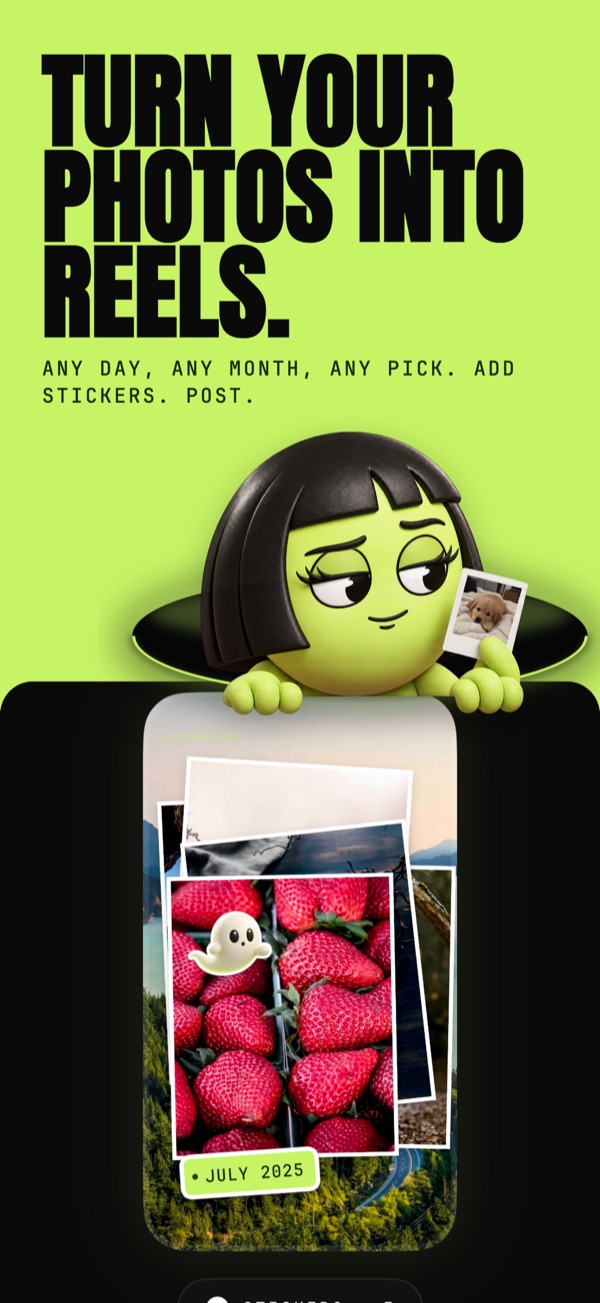
In LuminaClean's Create tab, pick a day, a month or 6 to 30 photos, choose Flash Dump, Pile-On or Polaroid, add stickers if you like, and export a 9:16 1080x1920 reel. Reels export without sound; add music where you post. Memory Reels are free. How Memory Reels work →

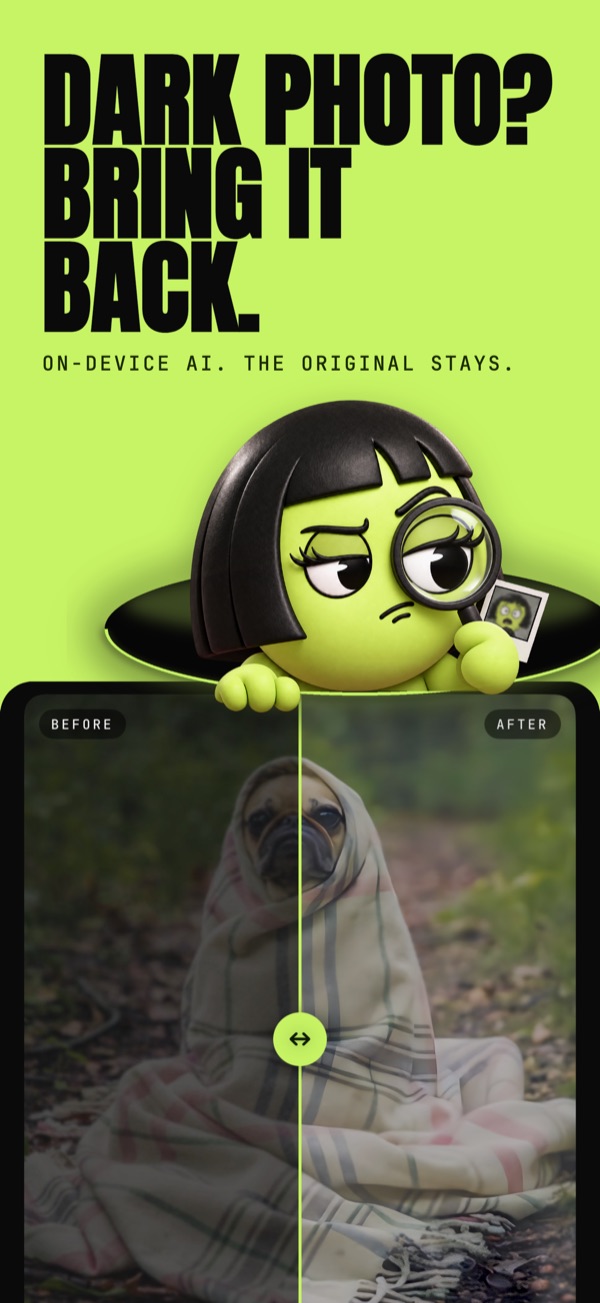
Open the photo in LuminaClean's Photo Rescue and pick Light, Medium or Strong. An on-device AI model restores detail and the photo is brightened. It saves a new copy with the same date and place; the original stays untouched and nothing is uploaded. Photo Rescue is free. How Photo Rescue works →

No. LuminaClean processes all photos entirely on your device using iOS on-device machine learning. Your photos never leave your iPhone, ensuring complete privacy. The app works even in airplane mode.

LuminaClean uses AI-powered image analysis running locally on your iPhone to compare photos and identify exact duplicates, similar shots (like burst photos), and near-identical images. It groups these photos for easy review and deletion.

Yes, LuminaClean is free to download and use from the App Store. You get 65 free photo deletions to start, and each day you return after using them up, you get 30 more. No account creation or sign-up is required.

LuminaClean detects four types of photos: exact duplicate photos, similar photos (like multiple shots of the same scene), blurry or out-of-focus images, and screenshots. Each category is organized separately for easy review.

Yes, if you have iCloud Photos enabled, deleting photos through LuminaClean will also remove them from iCloud, freeing up both local iPhone storage and iCloud space. Deleted photos first go to your Recently Deleted folder, giving you 30 days to recover them if needed.

LuminaClean is a top-rated iPhone app for deleting duplicate photos. It uses on-device AI to find duplicates, similar photos, and blurry images while keeping your data completely private. It's free, requires no account, and features an intuitive swipe-to-delete interface.

#dailycleanup

Come back tomorrow. Build the streak.

65 free deletions to start. Used them all? 30 more, every day you come back. A small habit, a clean library.

Download on the App Store