October 22, 2026
10 Offline Photo Organizer Tools That Keep Photos Private
The best offline photo organizer depends on the job, and for an iPhone library of approximately 2,400 photos, LuminaClean is the most practical starting point for private duplicate cleanup, while desktop tools serve larger archival collections. A packed camera roll, a storage warning before a trip, and no interest in uploading family photos to an unknown service is the situation most readers recognize. There's usually only a few minutes to deal with duplicates, screenshots, blurry shots, and large videos, not an evening for manual sorting.
Offline doesn't always mean the same thing. For some tools, analysis itself runs on the device. For others, browsing and searching work without a connection after a library has been synced or indexed. Those promises affect privacy, speed, battery use, and whether cleanup can happen on a plane or in a place with weak signal.
The scale explains the pressure. Worldwide production reached an estimated 1.4 trillion images by 2020, with smartphones responsible for more than 90% of them, according to historical photo production figures showing growth from billions to trillions. The list below separates iPhone-first cleanup apps from desktop archive managers, so the choice comes down to device, privacy model, cleanup depth, and library size. Readers who mainly shoot on iPhone should start at the top. Readers managing folders on a computer should jump to the desktop options.
Table of Contents
- 1. LuminaClean
- 2. HashPhotos
- 3. EASY AI Photo Organizer
- 4. Swipe Mix
- 5. Fovelox
- 6. Mylio Photos
- 7. digiKam
- 8. Excire Foto 2027
- 9. Tonfotos
- 10. Loshelf
- Offline Photo Organizer Comparison: 10 Tools at a Glance
- Build a Private Cleanup Routine That Sticks
1. LuminaClean

Start here if the goal is an iPhone library cleaned tonight, not a weekend project. LuminaClean scans directly on the device, needs no account, and keeps photos off external servers. Estimates for 2024 put worldwide production at approximately 1.94 trillion images, with smartphones accounting for about 94%, based on global photo production and iPhone storage estimates. At that volume, on-device scanning is the practical answer for a phone-first library.
What It Cleans Best
LuminaClean finds exact duplicates and visually similar photos, plus blurry photos, screenshots, and large videos. That range beats Apple's built-in option. Apple explains that the Duplicates album merges duplicate photos and videos and moves other copies to Recently Deleted, as described in Apple's instructions for merging duplicates in Photos. Apple stops at exact copies. LuminaClean groups near-identical takes for side-by-side choice, the category where burst shots and repeated attempts pile up.
- Swipe to Clean: Keep or delete each item with a swipe or confirmation. Nothing disappears automatically.
- Smart Categories, Flashbacks, and On This Day: Review pets, travel, food, receipts, or a specific date instead of scrolling everything.
- Free video compression: Shrink large videos without deleting the memory.
- Get Judged: Mascot Lumina judges your worst photo pile after a guess about its size, adding humor to a dull task. Shared verdicts blur thumbnails.
Deleted items go to iOS Recently Deleted for 30 days, so a wrong swipe isn't final. The app is free to start, with 65 free deletes and then 10 more each day under the developer's current terms. A Premium subscription exists for anyone clearing a large backlog in one sitting.
Practical rule: Start with similar photos and large videos. Those two groups usually return space fastest without forcing hard emotional choices.
The free allowance rewards steady habits, so a huge backlog takes patience unless you pay. Deletes also remove items from iCloud Photos when that's enabled, which means every selection deserves a quick check first. Pick LuminaClean for duplicate removal and space recovery on iPhone. Long-term cataloging is a different job, and other tools on this list handle it better.
2. HashPhotos
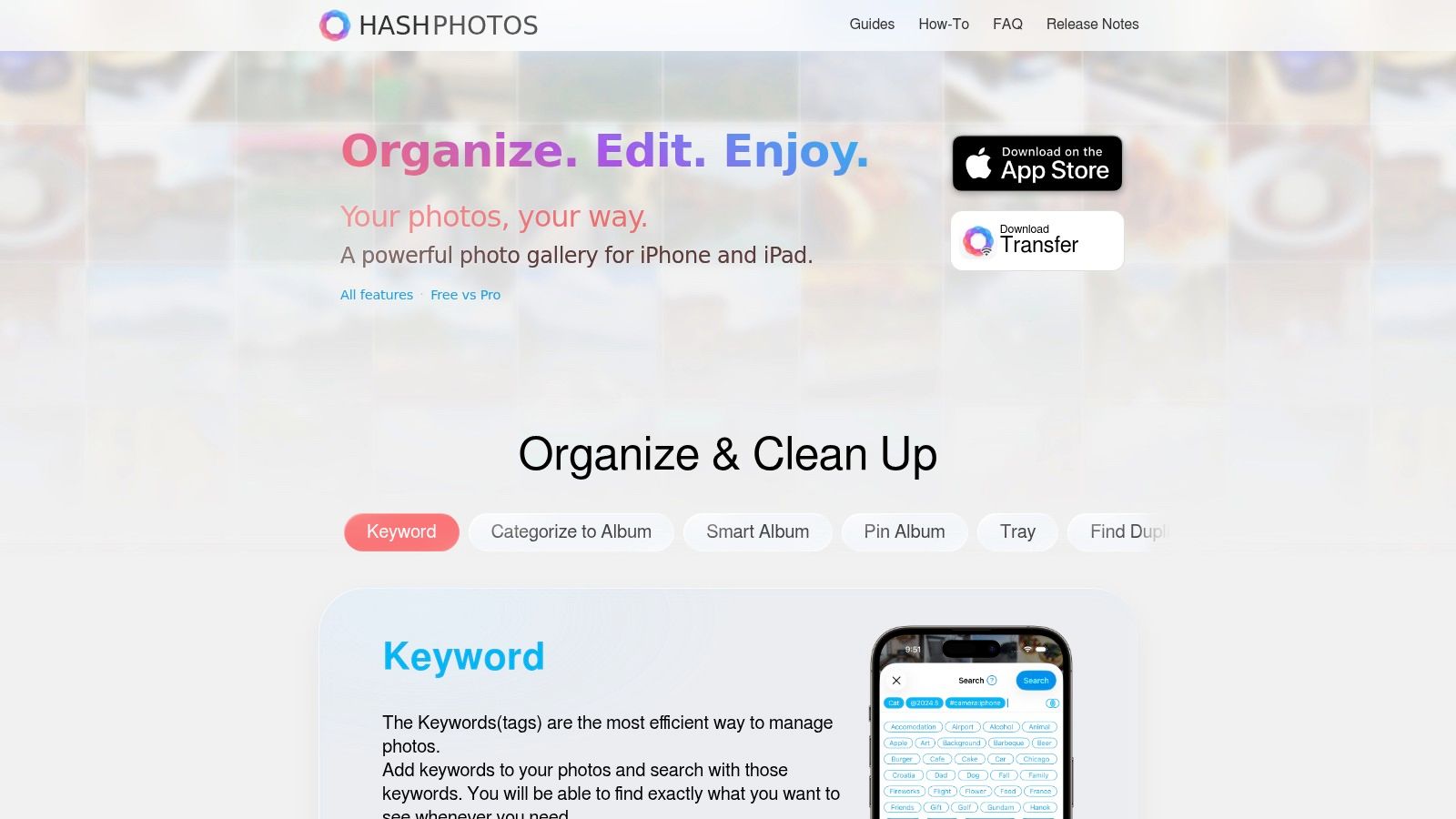
HashPhotos on its official website suits iPhone and iPad users who want a full photo manager, not just a cleaner. It works with Apple's Photos library and offers a separate Local Library for photos kept apart. The developer states photo and video data aren't sent to external servers, which fits readers who want control without a cloud library.
Organization depth is the reason to choose it. HashPhotos offers albums, tags, smart albums, ratings, timeline, events, map view, and calendar browsing. Search filters help narrow a large library by date, place, or type. It also includes duplicate and similar photo finding with comparison tools, so cleanup sits inside a broader management system.
Private local albums with passcode and Face ID options add another layer for sensitive images. That combination is useful when the problem isn't only storage. It's finding, rating, and separating photos over time.
- Best for: Detailed iPhone and iPad organization with tags and smart albums.
- Strength: Broad browsing tools plus duplicate review in one app.
- Limit: Many settings can feel crowded for someone who only wants quick cleanup.
Some features require Pro or in-app purchases, so readers should check what's included before committing. It's also not a desktop archive manager. For an iPhone library that needs structure more than fast deletion, HashPhotos is a strong pick. For simple storage recovery, LuminaClean stays more direct.
3. EASY AI Photo Organizer
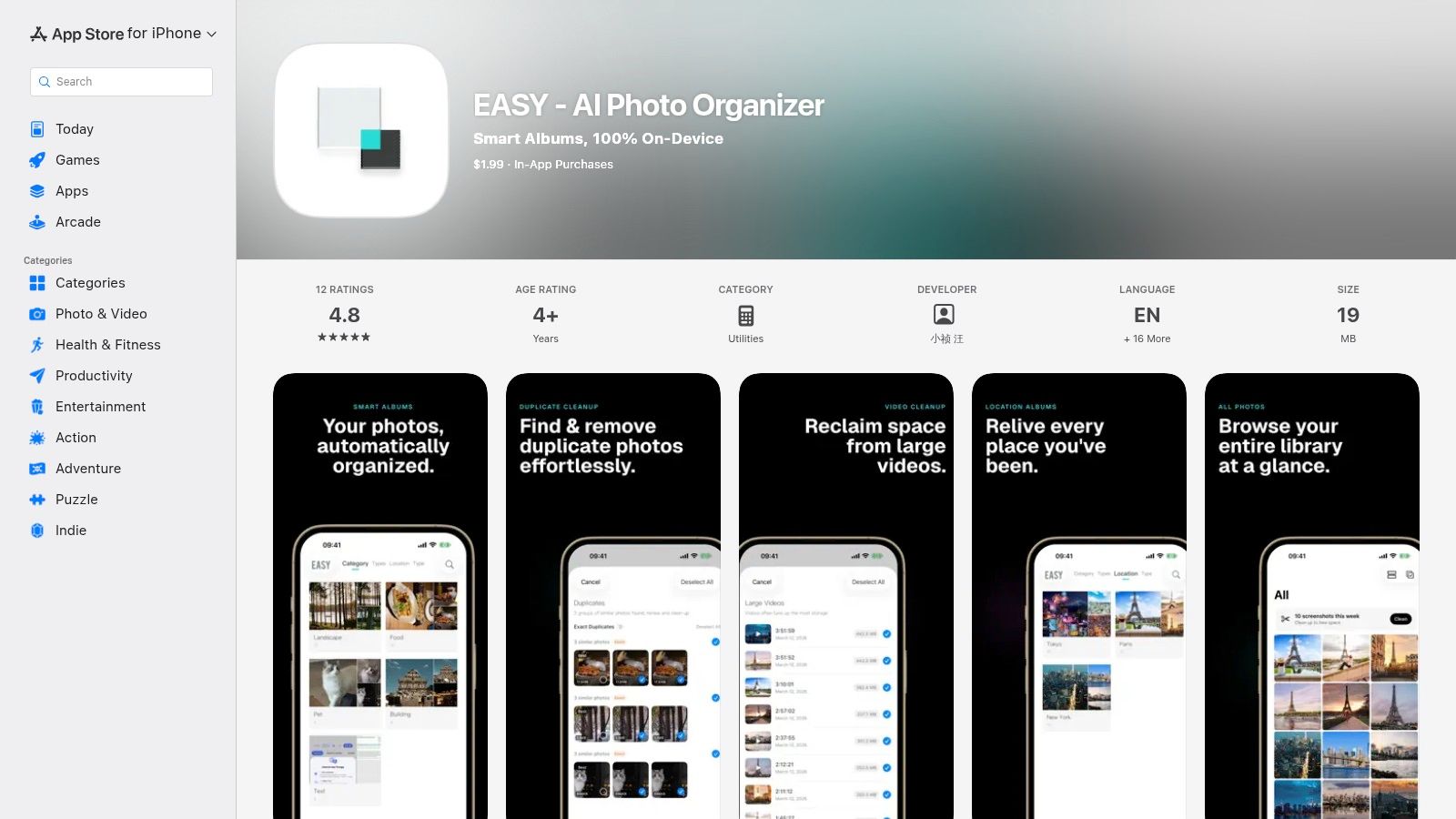
Categorization, not deletion, is the job here. EASY AI Photo Organizer on the App Store uses Apple's on-device Vision capabilities to sort photos into subject based smart albums. Its listing describes offline operation with no account required, and groups include pets, food, scenes, people, and documents. Location grouping by city adds another way to browse trips.
That approach aligns with how Apple describes local analysis. Apple states that Photos uses on-device machine learning for scene classification, people and pets, and photo quality analysis, according to Apple's privacy explanation for Photos data. EASY applies a similar local idea to make a large camera roll easier to explore.
Readers comparing categorization with cleanup can use a guide to AI photo organization on iPhone to decide which workflow fits. EASY helps someone find all dog photos or receipts quickly. It doesn't focus on duplicate removal, blur detection, or storage estimates.
Local categories solve a finding problem. They don't, by themselves, solve a storage problem.
Basic photo editing is included, which keeps simple adjustments in the same place. The main caution is limited public review information in its listing, so expectations should stay modest. Choose EASY when browsing by subject is the priority. Choose a cleaner first when storage is already full.
4. Swipe Mix
Manual review sounds old fashioned. For many people, it's the only method that feels safe. Swipe Mix through its developer website builds the whole experience around quick decisions. Swipe to keep an item, mark it for removal, or leave it in a queue for later. Separate views show kept items, items pending review, and items marked for removal.
The developer states everyday organizing runs locally and doesn't need an internet connection or account. It uses the iPhone's system Photos library, so there's no separate library to maintain. Short sessions fit waiting rooms, commutes, or a few minutes before bed.
That human control matters because deletion carries emotional resistance. A 2025 survey found roughly 80% of 597 Japanese smartphone users felt unable to properly organize their photos, with time, volume, and resistance to deleting memories among the main reasons, as reported in survey results on smartphone photo organization barriers. A queue respects that hesitation. Nothing has to be decided forever in the first pass.
Where Swipe Mix Falls Short
It's primarily a review tool, not a smart duplicate finder or content categorizer. Similar shots won't be grouped automatically, and blurry photos won't be surfaced as a set. Users should also understand the deletion flow and Photos permissions before starting.
Pick Swipe Mix for calm, one by one decisions. Pick LuminaClean when automatic grouping is needed to make the pile smaller first.
5. Fovelox

Fovelox on its official website presents itself as a local-first iPhone organizer for reviewing an existing library and reclaiming space. Its site says the app uses Photos permission to display and organize the library. The focus stays narrow. It's built for the iPhone camera roll, not general file cataloging or desktop archives.
That narrow scope can be a benefit. A purpose-built review flow is easier to learn than a large manager with tags, maps, and metadata. Readers who want background on sorting methods can compare approaches in an overview of photo sorter app workflows before choosing a simpler tool.
Privacy expectations should still be checked directly. Apple documents that face recognition, scene detection, and object detection can run completely on iPhone, with analysis data not available to Apple or third parties, in Apple's description of on-device Photos analysis. Any third party app needs its own clear statement about where analysis happens and whether anything leaves the device.
- Best for: A focused iPhone review workflow without desktop features.
- Check first: Current App Store features, pricing, privacy labels, and offline behavior.
- Limit: Public product information and independent feedback are thinner than for established options.
Fovelox may suit privacy conscious users who prefer local-first positioning. It shouldn't be the first recommendation until its current listing confirms cleanup depth and deletion safeguards. LuminaClean and HashPhotos provide clearer public detail today.
6. Mylio Photos

Libraries spread across a phone, laptop, and external drive need a different answer. Mylio Photos on its official website connects photos stored on a user's own devices and drives, with device to device syncing that doesn't require a public cloud library. Browsing and searching can work offline, which helps during travel.
Offline access has a condition. It depends on which photos or previews are stored on that device. A phone may show the whole library structure without holding every original at full resolution. That's sensible for storage, but users should understand their sync choices before relying on offline access for important files.
Mylio includes people, map, and LifeCalendar views, plus duplicate removal and Quick Review for similar photos or bursts. Families and photographers can choose where originals live and how devices back each other up. That control is the core appeal.
Setup is the cost. Connecting devices, drives, and sync rules takes more effort than opening an iPhone cleaner. Pricing and included features also depend on the plan.
Choose Mylio when the problem is one library across many devices. Don't choose it just to clear screenshots from one iPhone. It's a library system, and it rewards users willing to maintain that system.
7. digiKam
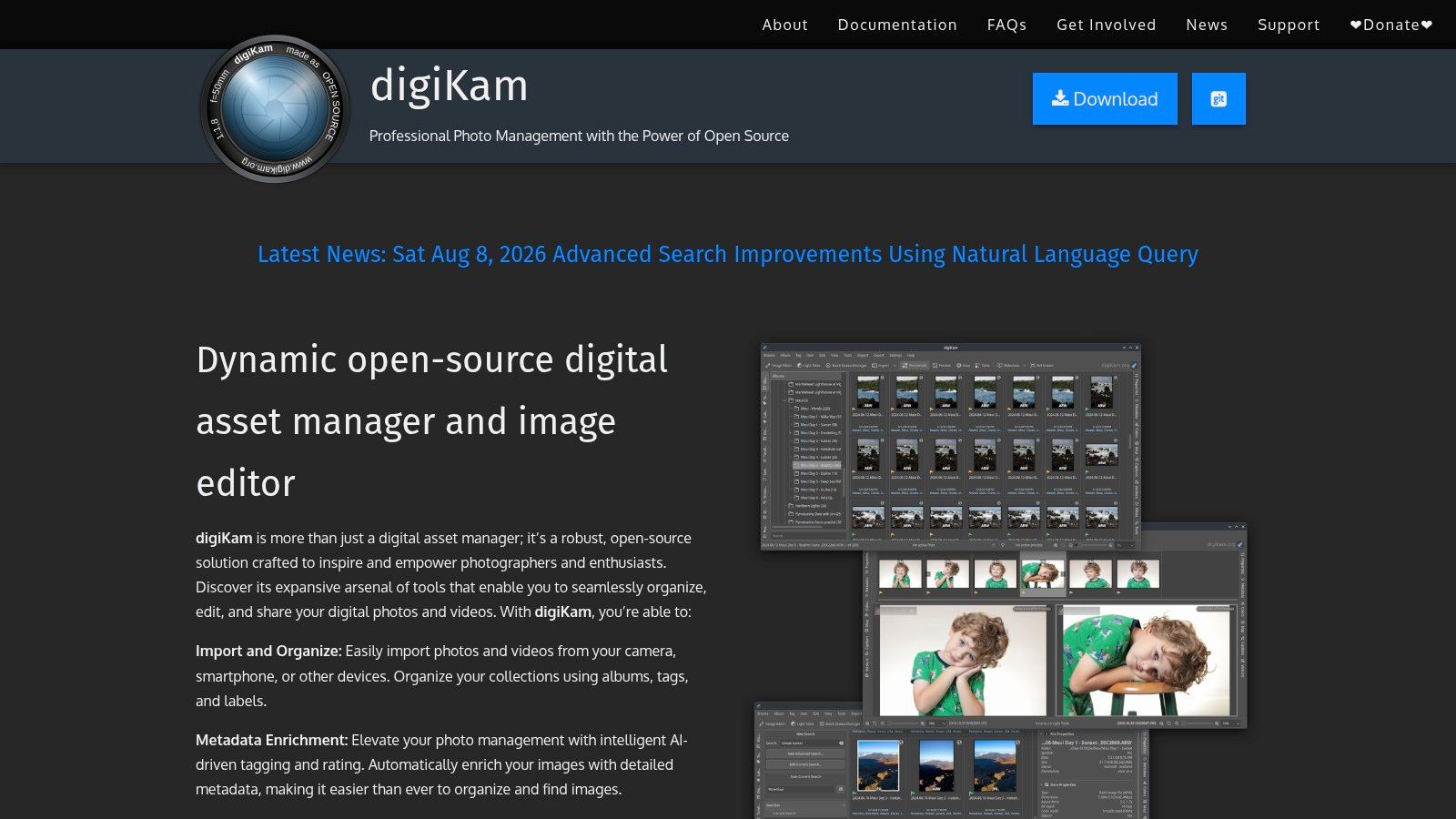
Free, local, and deep is a rare combination. digiKam on its official website is an open source photo manager for Windows, macOS, and Linux. Photos and management data stay on the computer, with no cloud requirement and no subscription. For a large desktop archive, that independence is hard to beat.
Its tools go far beyond an iPhone camera roll. digiKam supports albums, tags, ratings, labels, filtering, and search by date, location, and EXIF, IPTC, or XMP metadata. It imports from cameras, SD cards, and USB storage, handles many RAW formats, and offers local AI classification tools. Archivists who care about metadata will feel at home.
Readers whose main library still lives in Apple Photos may benefit first from practical ways to organize photos on iPhone, then export only the archive portion to desktop software. Moving everything to digiKam just to delete iPhone duplicates creates unnecessary work.
Archive rule: Use desktop cataloging for photos that need lasting metadata. Use an iPhone cleaner for clutter that should never enter the archive.
Complexity is the trade-off. Large library setup and advanced tools take learning, and the interface feels heavier than a consumer app. For serious local cataloging without ongoing cost, digiKam remains the budget benchmark.
8. Excire Foto 2027

Searching a huge desktop collection by memory is frustrating. Excire Foto 2027 on the Excire website uses locally run AI analysis to reduce manual tagging. It can search by visual content, themes, faces, moods, and visible text, then filter and evaluate results inside a dedicated catalog for Windows and macOS.
That local processing matters for client work, family archives, and unpublished shoots. Photos don't need to sit in cloud storage for analysis. Keywording and discovery happen on the computer, which suits enthusiasts and professional photographers with collections too large for folder browsing.
The standalone edition uses a one-time license rather than a subscription. Some buyers prefer that clarity, even with a larger upfront purchase. System requirements and upgrade terms should be checked before buying, especially on older machines where local AI may run slower.
- Best for: AI assisted search across a large desktop archive.
- Strength: Less manual keyword work for themes, faces, and text.
- Limit: Desktop only. It doesn't clean the native iPhone Photos library directly.
Excire is not a casual storage fix. It's a paid catalog tool for people who need to find specific images fast. If the archive lives on a computer and search is the pain point, it's a focused and credible choice.
9. Tonfotos
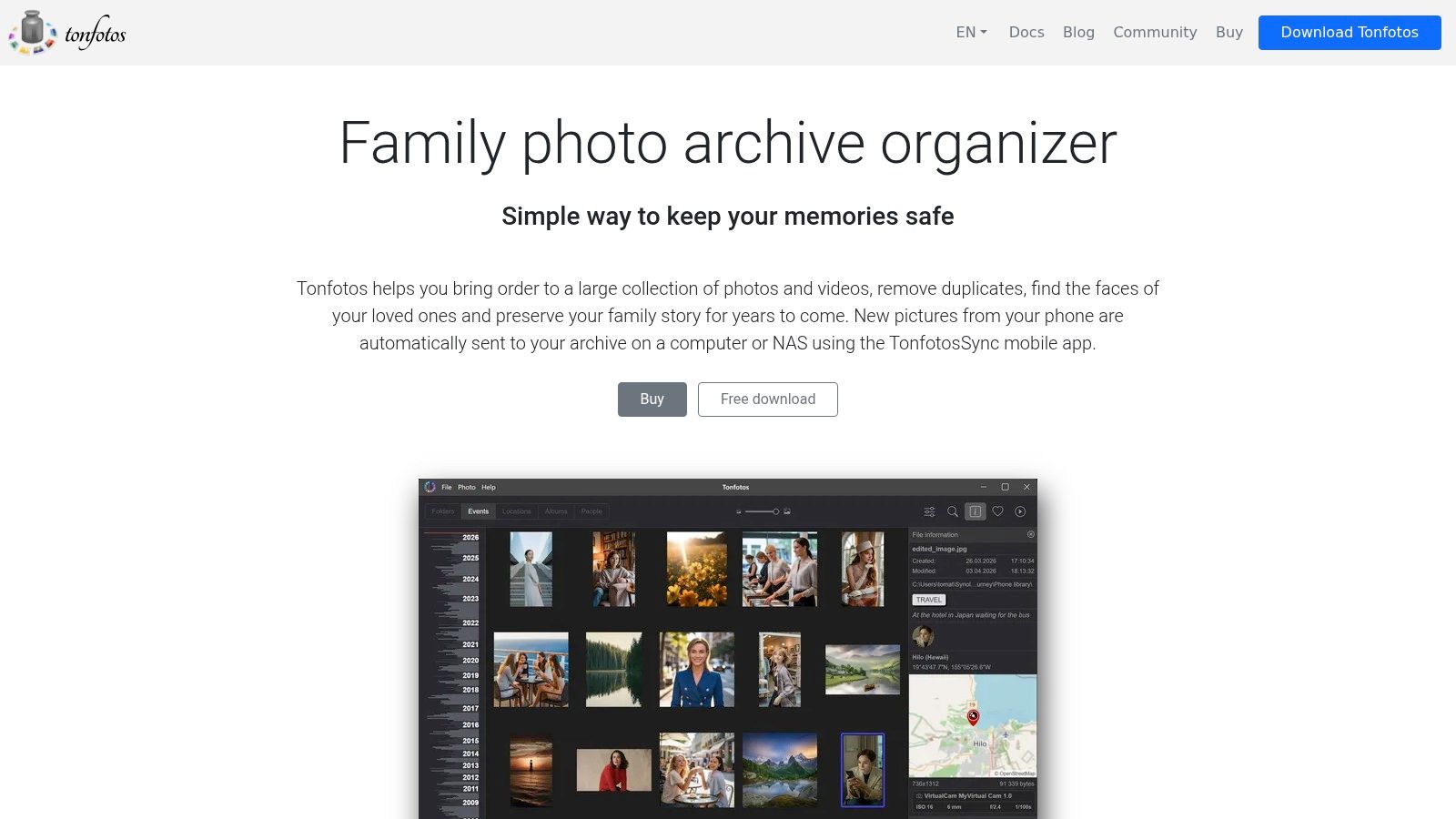
Family archives usually revolve around people. Tonfotos on its official website is a desktop photo and video archive manager for Windows, macOS, and Linux, with people focused organization and face based grouping at the center. Browsing by person can turn scattered folders into a family history that's easier to explore.
A free version gives households a way to test the approach before paying. A lifetime license option may appeal to users tired of subscriptions. Keeping the collection on a computer also avoids dependence on a cloud first photo library, which matters for old scans and videos that never belonged on a phone.
The limits follow from that desktop focus. Tonfotos isn't an iPhone cleanup app, and it won't clear screenshots or similar shots directly from Apple Photos. The paid personal license also costs more than free and open source options, so the people based workflow needs to justify the price.
Free version restrictions and update terms deserve a quick check before a large import. Import a small family folder first, test face grouping, and confirm the archive structure feels right.
Choose Tonfotos for people centered browsing at home. Choose digiKam for deeper metadata control. Choose LuminaClean when the clutter is still on the iPhone and storage is the urgent problem.
10. Loshelf

Some users don't want a new library system at all. Loshelf on its official website creates a browsable gallery from folders already on a computer. Files stay in their folders, and the app emphasizes offline operation, no account, and no activation server. Paid activation can also be performed offline.
Folder level covers, descriptions, tags, and symbols add context without forcing a new structure. That's useful for external drives, project folders, or family collections arranged by year. Chosen deletions go to the system Recycle Bin, while other files remain where they were.
The free trial limits a single library to up to 10,000 photos and 1,000 videos, which is enough to test a real folder set. Multiple libraries or larger collections require the paid tier. It supports Windows, macOS, and Linux.
Loshelf isn't a cloud backup or device sync service, and it isn't designed for direct iPhone library cleanup. Treat it as a local viewing layer, not a safety copy. A separate backup is still essential.
Pick Loshelf when existing folders are already sensible and only need a nicer gallery. Pick digiKam or Excire when cataloging and search need to go deeper.
Offline Photo Organizer Comparison: 10 Tools at a Glance
The ten tools above split into two camps. Five are iPhone-first apps built for cleanup, review, and storage recovery. The other five are desktop archive managers built for cataloging large collections. Read the table with your actual job in mind, because an app designed for manual swipe review will not help you catalog 100,000 files, and a desktop cataloger will not free up space on your phone.
| App | Best for | Key features | Privacy and platform | Price and standout value |
|---|---|---|---|---|
| LuminaClean (Recommended) | iPhone cleanup with a playful experience | Finds duplicates, similar and blurry photos, screenshots, and large videos; adds Smart Categories and Lumina reactions | On-device, offline use; no account; iPhone | Free with 65 initial deletions and 10 daily; optional Premium; free video compression |
| HashPhotos | Detailed iPhone and iPad library management | Albums, tags, ratings, search, duplicate review, and private local albums | Apple Photos library plus separate local library; developer says data stays off external servers | Some features require Pro or in-app purchases |
| EASY, AI Photo Organizer | Local subject-based browsing | AI categories, location grouping, and basic editing | On-device classification; offline; iPhone and iPad | Pricing not specified; limited public rating data |
| Swipe Mix | Quick, manual camera-roll review | Swipe to keep, queue, or mark photos and videos for removal | Local and offline everyday use; iPhone | Pricing not specified; focused review workflow |
| Fovelox | Basic iPhone photo review and organization | Photo-library review and space-reclaiming workflows | Local-first positioning; iPhone | Pricing and detailed features should be verified |
| Mylio Photos | Connecting photo libraries across devices | Search, people and map views, duplicate removal, sync, and backup | Cross-device library; offline access depends on available files or previews | Plan-dependent; useful for multi-device collections |
| digiKam | Free desktop photo cataloging | Metadata search, albums, tags, RAW support, and local AI tools | Local desktop app for Windows, macOS, and Linux | Free and open source; broad feature set takes time to learn |
| Excire Foto 2027 | AI-assisted desktop archive discovery | Local AI keywording and visual search, filtering, and evaluation | Desktop app for Windows and macOS; local processing | One-time license; relatively high upfront cost |
| Tonfotos | Desktop family photo archives | Photo and video browsing with people-focused organization | Desktop app for Windows, macOS, and Linux | Free version and lifetime license; check restrictions and terms |
| Loshelf | Browsing photos stored in computer folders | Local gallery, folder labels, covers, and descriptions | Offline desktop app; Windows, macOS, and Linux | Free tier has library limits; paid activation for more |
One caution about the word "offline" in this table. It does not mean the same thing for every tool. For LuminaClean, EASY, and Swipe Mix, it means analysis runs on the iPhone itself. For Mylio, it means you can view whatever files or previews already live on that device. For the desktop apps, it means the catalog and processing stay on the local machine. Check which version applies before you commit a large library to any of them.
Build a Private Cleanup Routine That Sticks
Open your iPhone camera roll after a vacation and the pattern is familiar: ten near-identical sunset shots, screenshots you forgot you took, a video too large to send. Capture is free and review gets postponed, so the pile keeps growing. Plenty of users also keep no backup at all, which means every delete has to be reversible. Local review needs to be safe, easy to repeat, and honest about where your files go.
Privacy works as a practical test here. Apple frames its approach around collecting only the data a feature needs and processing it on the device where possible, per Apple's privacy principles for personal data. Research on mobile privacy expectations has repeatedly found a gap between how apps handle personal content and what users assume happens. So hold any offline photo organizer to a plain standard: analysis stays on the device, the app requests only the Photos permission it needs, and nothing is deleted without your confirmation. If a tool cannot state those points clearly, skip it.
For iPhone cleanup and storage recovery, LuminaClean is the right starting point. It groups exact duplicates and visually similar shots, surfaces blurry photos, screenshots, and large videos, offers free video compression, and scans on the iPhone with no account. You can get it through LuminaClean on the App Store. The other iPhone picks cover narrower jobs: HashPhotos fits users who want tags, smart albums, and a separate local library; EASY suits subject-based browsing; Swipe Mix suits careful manual review; Fovelox needs closer verification before it earns a primary role.
For archives that don't belong in Apple Photos, choose by archive job. Mylio connects devices and drives. digiKam gives free local cataloging with deep metadata. Excire Foto 2027 prioritizes local AI search. Tonfotos centers people. Loshelf preserves your existing folder structure and adds a gallery. An iPhone cleaner and a desktop cataloger solve different problems, so plan to use them as a pair rather than picking one.
Storage settings and cleanup do different jobs too. Apple's guidance on iPhone storage and iCloud Photos explains that Optimize Storage keeps full-resolution originals in iCloud while the iPhone holds space-saving copies. Optimization preserves everything through the cloud, while duplicate and similar photo removal shrinks the library itself. If you avoid cloud uploads, optimization isn't a substitute for cleaning.
Keep the routine small. One category per session, say screenshots. Compare one set of similar shots and keep the strongest frame. Confirm deletions, then check Recently Deleted before emptying it early. Compress a large video instead of deleting a meaningful clip. Short sessions a few times a week beat one stressful weekend purge, and that pace still returns storage week after week.
Readers who want the iPhone-first, on-device route should visit LuminaClean for private iPhone photo cleanup. Start with the free deletes, clear one clutter pile today, and let Lumina judge the worst pile before storage becomes an emergency.
Start the first cleanup now. Download LuminaClean, run an on-device scan, swipe through one group of similar photos, and keep the routine short enough to repeat tomorrow.
Clean up your camera roll in minutes.
LuminaClean scans on-device, groups duplicates, similar shots, screenshots and blurry photos, and deletes only what you confirm. Free to start, no account.