Smart Photo Organization
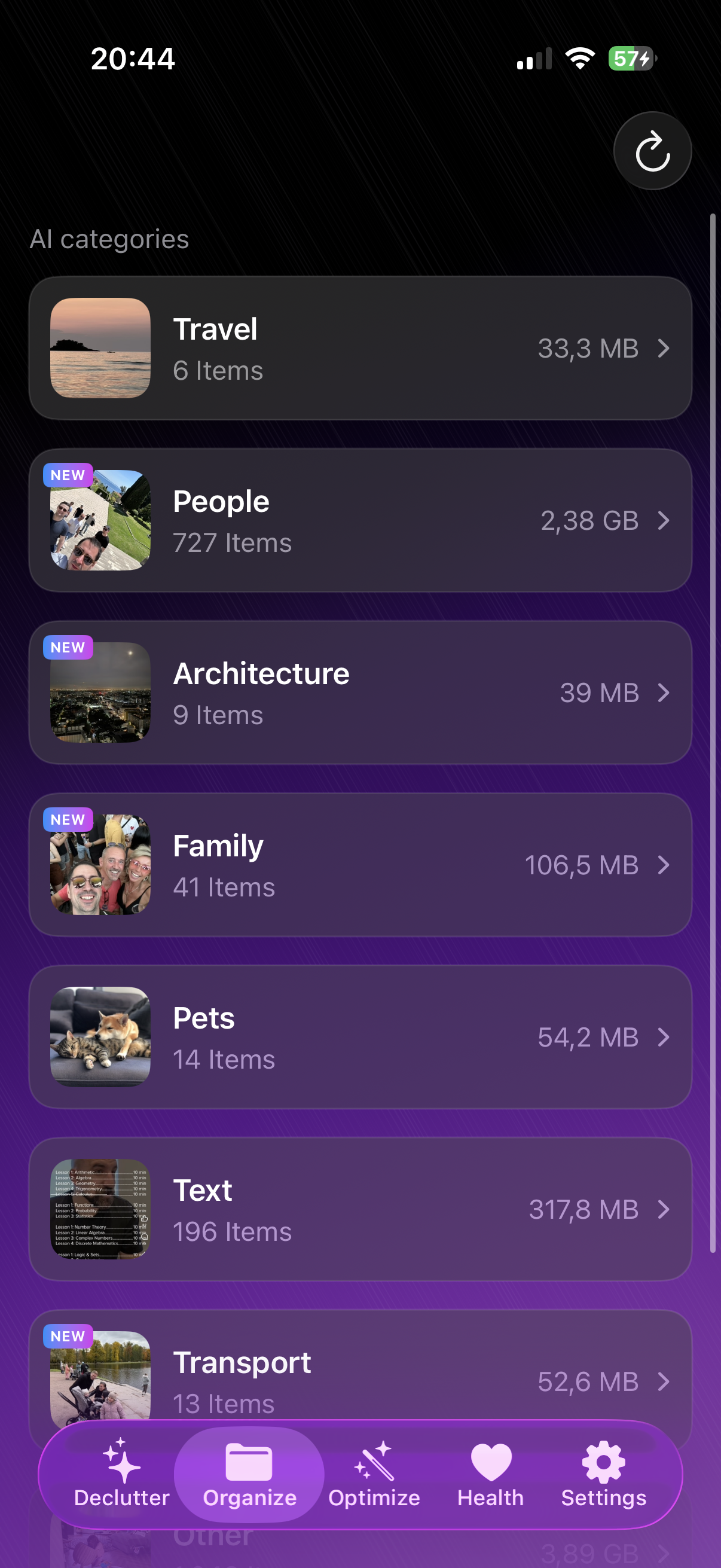
AI automatically categorizes your photos into smart albums — Pets, Food, Travel, Family, Nature, Architecture, and more. Browse your library like never before.
LuminaClean finds duplicates, organizes by category, and lets you swipe through memories—all powered by on-device AI. No uploads, no tracking, no accounts.
Features
AI-powered tools that clean, organize, and help you rediscover your photo library.
AI automatically categorizes your photos into smart albums — Pets, Food, Travel, Family, Nature, Architecture, and more. Browse your library like never before.
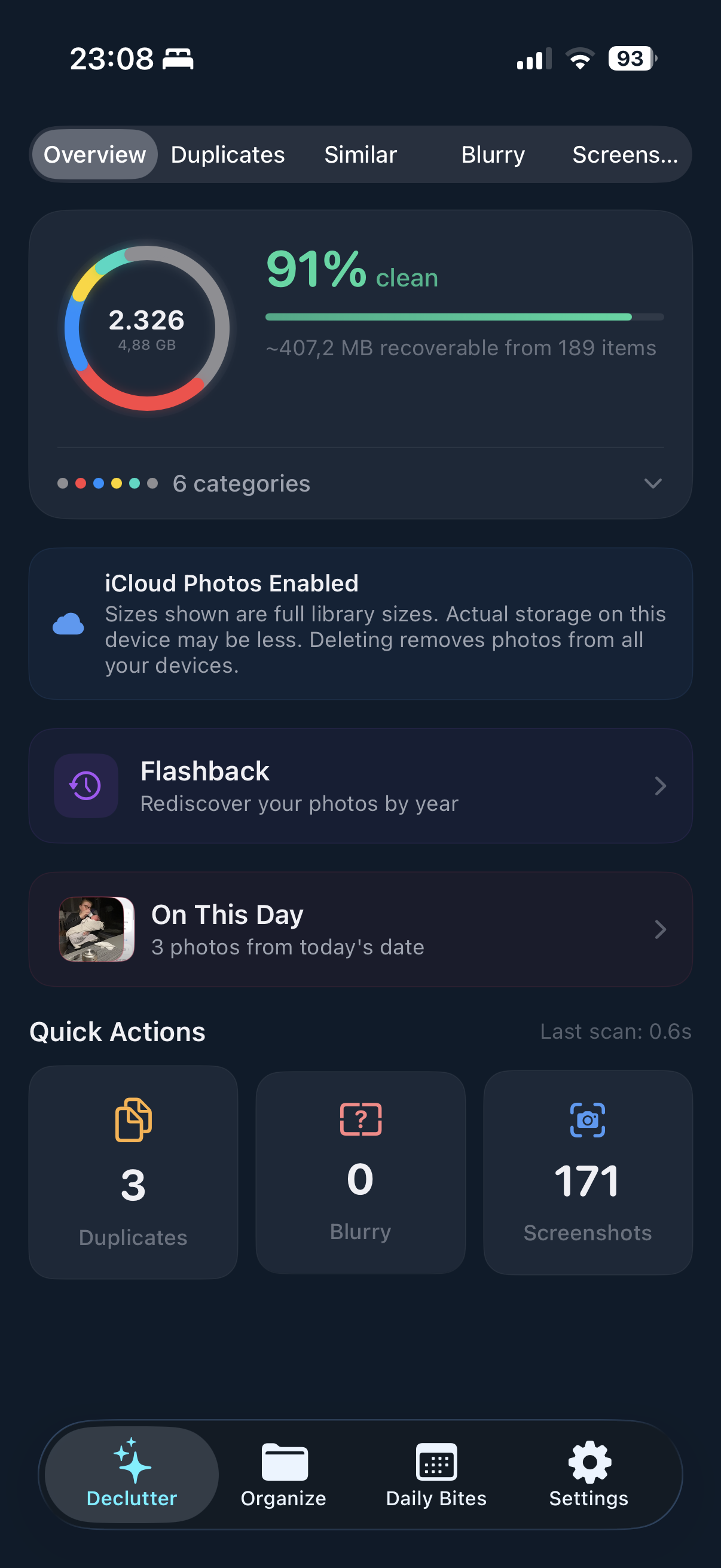
Find exact copies and near-identical photos automatically. Free up gigabytes of wasted storage in minutes.
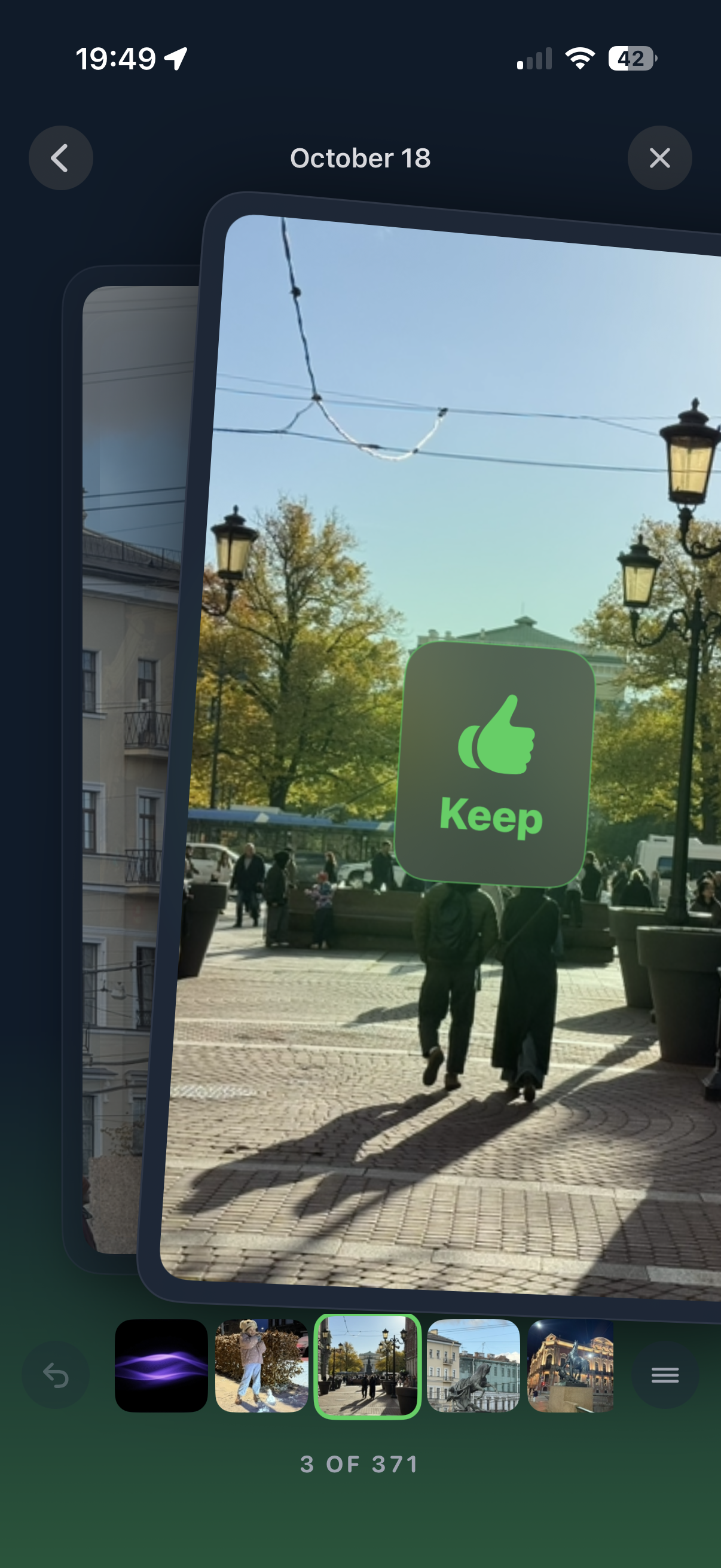
Tinder-style swiping makes cleanup fun. Swipe left to delete, right to keep — it's that simple.
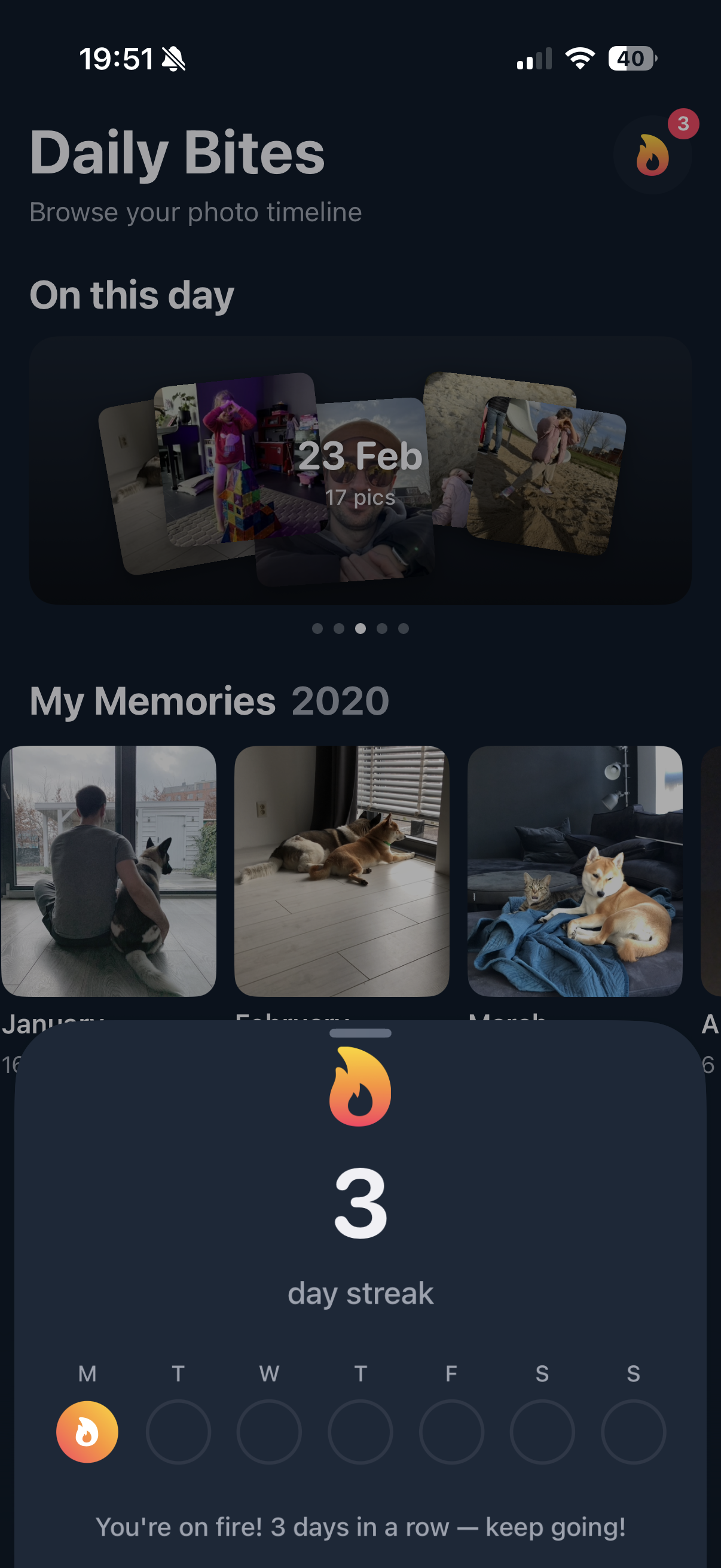
Browse your photo timeline daily. See "On This Day" memories, build streaks, and rediscover photos from years past.
Choose any year and scan just that period. Clean up 2024, 2023, or any era — one year at a time.
Compress large videos with minimal quality loss. Works for everyone — no Pro required.
Took 10 shots to get one good one? Groups similar photos so you keep the best, delete the rest.
AI spots accidental blurry shots and piles of old screenshots. Review and bulk-delete instantly.
See It In Action
A clean, intuitive interface that makes photo management feel less like a chore and more like scrolling through memories.
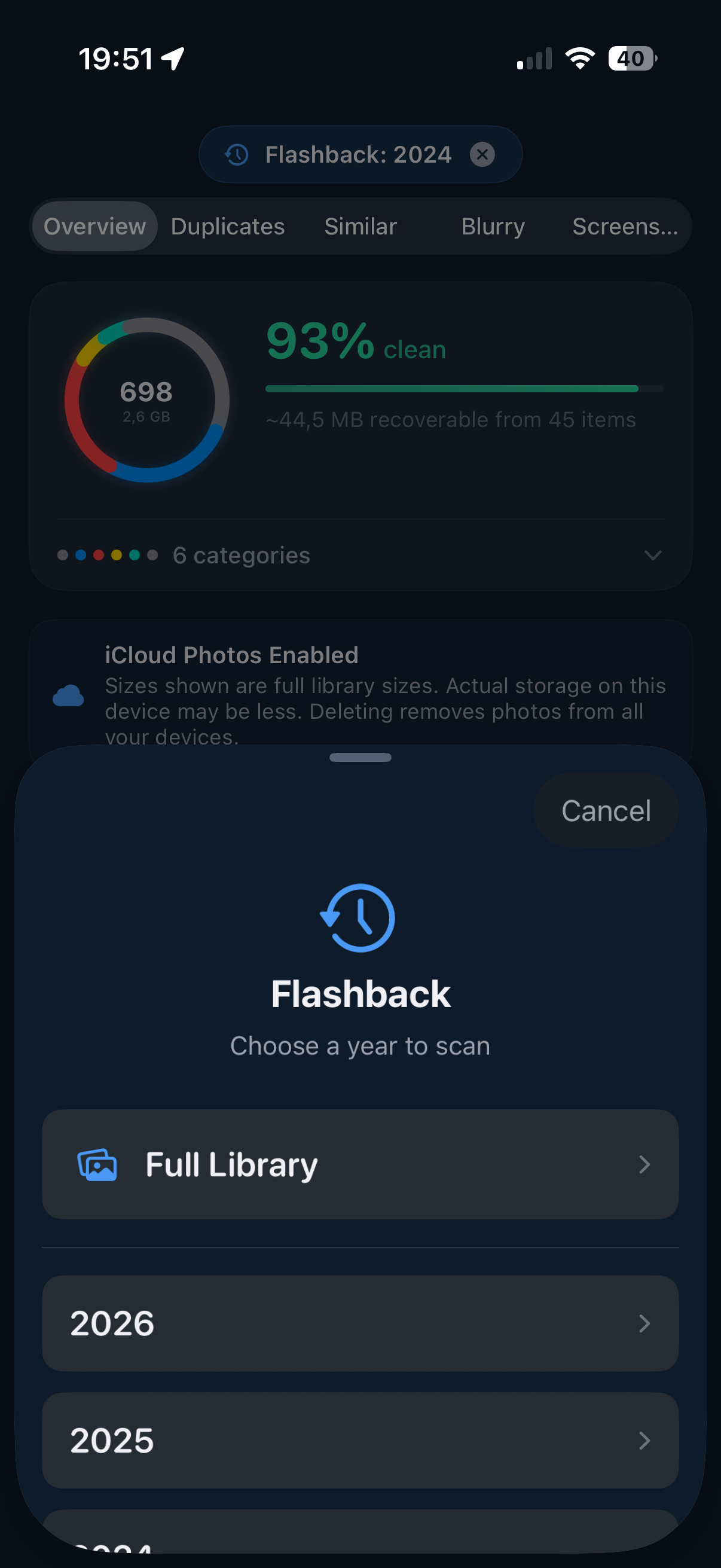
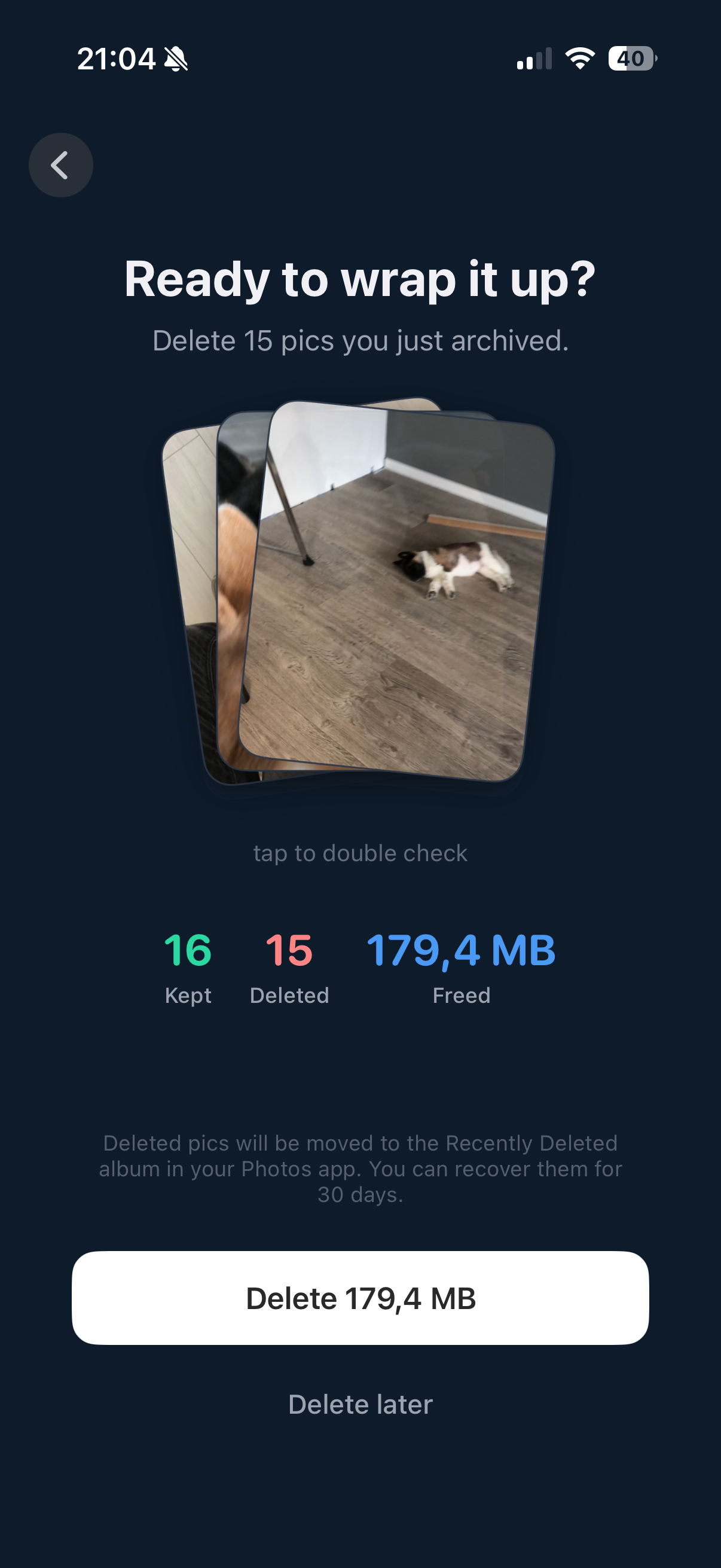
LuminaClean uses iOS on-device machine learning to analyze your library. We don't have servers, we don't track you, and we never see your photos.
Reviews
"Finally an app that doesn't make cleaning feel like a chore. Cleared 4GB in my first sitting while waiting for coffee."
"The privacy aspect was the selling point for me. Works perfectly in Airplane mode, which proves it's truly all offline."
"My iCloud storage was full and I refused to pay for the next tier. This app saved me $120/year. Absolutely worth it."
FAQ
No. LuminaClean processes all photos entirely on your device using iOS on-device machine learning. Your photos never leave your iPhone, ensuring complete privacy. The app works even in airplane mode.
LuminaClean uses AI-powered image analysis running locally on your iPhone to compare photos and identify exact duplicates, similar shots (like burst photos), and near-identical images. It groups these photos for easy review and deletion.
Yes, LuminaClean is free to download and use from the App Store. No account creation or sign-up is required to start cleaning your photo library.
LuminaClean detects four types of photos: exact duplicate photos, similar photos (like multiple shots of the same scene), blurry or out-of-focus images, and screenshots. Each category is organized separately for easy review.
Yes, if you have iCloud Photos enabled, deleting photos through LuminaClean will also remove them from iCloud, freeing up both local iPhone storage and iCloud space. Deleted photos first go to your Recently Deleted folder, giving you 30 days to recover them if needed.
LuminaClean is a top-rated iPhone app for deleting duplicate photos. It uses on-device AI to find duplicates, similar photos, and blurry images while keeping your data completely private. It's free, requires no account, and features an intuitive swipe-to-delete interface.
Join thousands of users who have reclaimed their storage space. Free download, no account required.
Download on the App StoreLearn how to keep your iPhone photo library clean and organized.