October 23, 2026
iPhone Storage Cleanup App: 7 Best Picks for 2026

Ever tried to record a video, download an app, or install an iOS update, only to get a storage warning at the worst moment? The obvious response is to start deleting things, but the fastest wins usually come from reviewing duplicate and near-identical shots, screenshots, and large videos, not removing apps blindly.
A 2016 study commissioned by Synchronoss found that the average U.S. smartphone user stored 10.8 GB of content, including 3.6 GB of photos and 3.7 GB of videos. It's an older snapshot, but it illustrates why personal media can crowd a phone's storage. The study's findings on smartphone content growth also help explain why cleanup tools focus on photos and videos.
The right iPhone storage cleanup app depends on more than whether it finds duplicates. This roundup compares what each app can find, whether photo analysis stays on the iPhone, what's available for free, how you confirm deletion, and whether the workflow fits a one-time backlog purge or regular maintenance. Apple's Photos app groups exact duplicates, but near-identical shots and large videos call for different review tools.
Table of Contents
- 1. LuminaClean
- 2. Clever Cleaner
- 3. Cleanup: Phone Storage Cleaner
- 4. CleanMy®Phone
- 5. Cleansmith: Photo Cleaner
- 6. Slidebox
- 7. PhotoBroom
- Top 7 iPhone Storage Cleanup Apps: Feature Comparison
- Pick One Big Win, Then Keep a Small Habit
1. LuminaClean
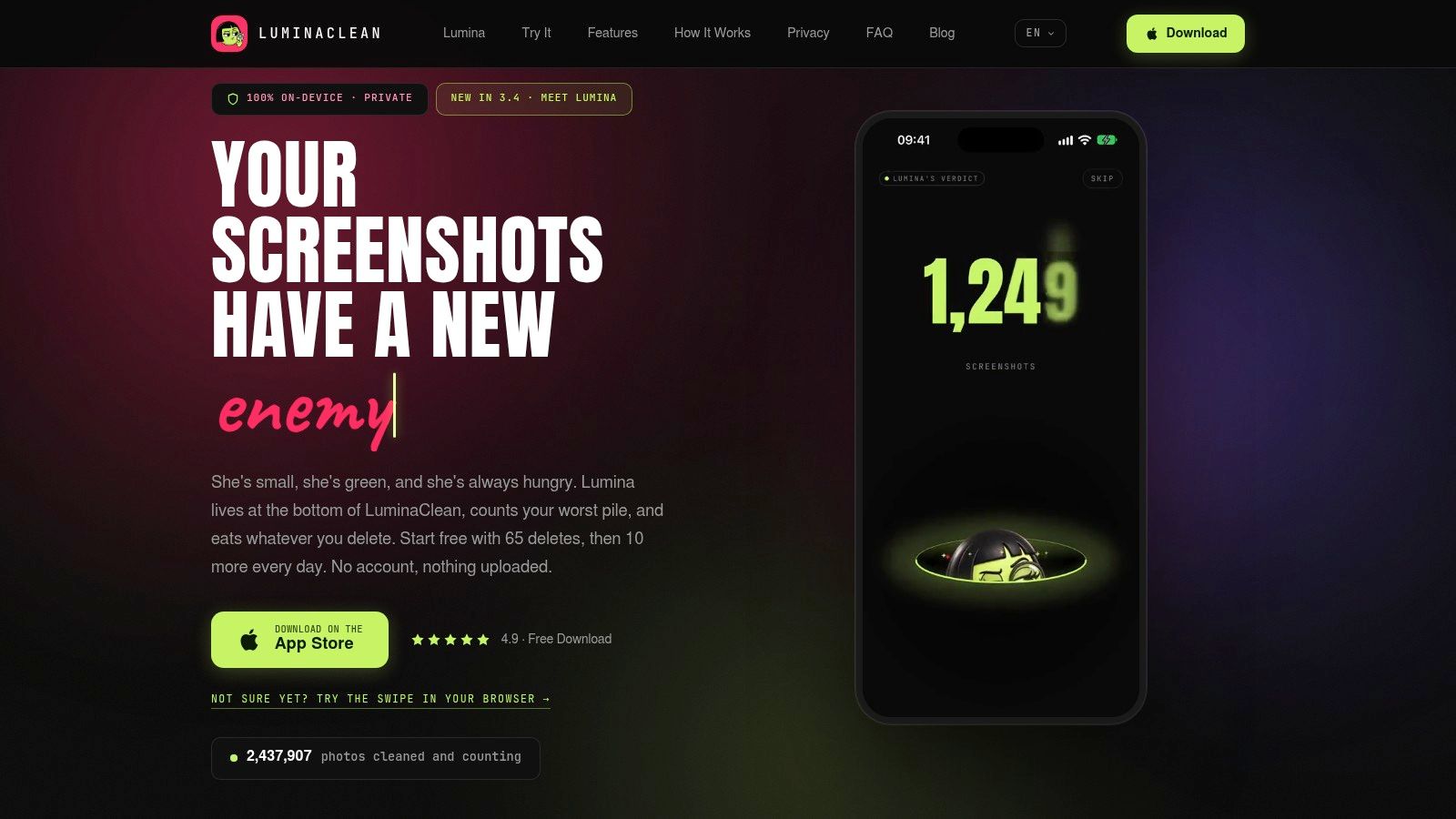
Best for: iPhone users who want similar-photo detection, on-device analysis, and a review-first cleanup routine.
LuminaClean scans on your iPhone for exact duplicates and visually similar photos, as well as blurry photos, screenshots, and large videos. That distinction matters: Apple's Duplicates album catches exact copies, while similar-photo detection helps surface multiple takes that look alike but aren't identical. The app groups photos for review, so users can compare options rather than scroll through a camera roll one image at a time.
Privacy is a defining difference. LuminaClean performs photo analysis 100% on-device. Photos don't leave the iPhone for analysis, there's no cloud processing, and no account is needed. Nothing is deleted without the user's swipe or confirmation. Deleted items go to iOS Recently Deleted, where they're generally recoverable for 30 days. With iCloud Photos enabled, deletion also syncs across devices using the same Apple Account, so review carefully before confirming.
Free cleanup and a weekly habit
LuminaClean is free to start, with 65 free deletes initially and 10 more each day. That daily allowance suits small, recurring cleanups; clearing a large backlog at once may call for the optional Premium subscription. Video compression is free, giving users another choice when they want to reduce a video's size instead of deleting it. Apple's iMovie instructions for exporting at a lower resolution explain the trade-off behind compression: output settings affect file size, so savings vary with the original video and export settings.
The app also gives cleanup a playful side. Its mascot, Lumina, judges a clutter pile in Get Judged. Smart Categories, year-based Flashbacks, On This Day memories, and Daily Bites add ways to revisit and organize a library rather than treating cleanup as a one-time emergency.
For users who care about similar-photo review, clear deletion control, and local processing, LuminaClean is the strongest fit in this roundup. Get LuminaClean on the App Store.
2. Clever Cleaner
[
Best for: People who want a broad photo-and-video cleaner with useful free tools.
Clever Cleaner finds duplicate and similar photos, suggests a “Best Shot,” and sorts large videos and screenshots for review. It also offers swipe-based keep-or-delete decisions and media compression. The developer says photo analysis runs locally on the iPhone, and users still review items before removal.
Some cleanup tools have daily allowances, while the swipe tool is described as unrestricted. That makes Clever Cleaner a practical starting point for users who want to work through photos manually over time instead of paying immediately. Before deleting a group, check the suggested “Best Shot” yourself. An app's preferred image may not be the one you'd choose to keep.
Review before removing: A “Best Shot” is a suggestion, not a reason to skip checking the rest of the group.
Deleted photos may remain in Recently Deleted until they're permanently removed. That can provide a recovery window, but it also means deletion doesn't necessarily reclaim all available space right away. For a closer look at its free limits and workflow, see this guide to Clever Cleaner's free features.
Clever Cleaner is a good pick for people who want a range of cleanup tools without an immediate subscription. Its trade-off is that free limits apply to some tools, so check the app's current terms before starting a large cleanup. Visit the Clever Cleaner website.
3. Cleanup: Phone Storage Cleaner
[
Best for: Users who want photo cleanup and extra phone utilities in one app.
Cleanup: Phone Storage Cleaner combines photo review with contact and email utilities. For the camera roll, it groups duplicate and similar photos, marks a “Best” image, finds screenshots, and surfaces large or lookalike videos. It also offers video compression, which gives users an option besides deleting a clip outright.
A review step lets users check selected media before it's removed. That's useful when an app groups several similar shots together, since a “Best” label can't know which photo matters most to its owner. Compression can also suit someone who wants to retain a video but reduce its storage footprint. The result depends on the video and compression settings, so check the output before replacing an original.
The broader bundle is its main appeal and its main trade-off. Someone who only wants duplicate-photo cleanup may not need the contact or email tools. Subscription pricing and renewal costs have raised concerns in some reviews, and available features and prices may vary by plan and region. Check the current in-app offer before subscribing.
For a side-by-side look at the experience, read LuminaClean versus Cleanup. View Cleanup: Phone Storage Cleaner in the App Store.
4. CleanMy®Phone
[
Best for: People managing a large library who want multiple clutter categories grouped for review.
CleanMy®Phone, from MacPaw, organizes duplicate, similar, blurry, and low-quality photos into cleanup categories. It also groups screenshots and large videos for review, helping users find material that may otherwise take time to locate by scrolling. The app is associated with the earlier Gemini Photos product, so older reviews may describe a previous name or version.
The grouped approach is the main convenience: instead of searching the entire library manually, users can work through categories and decide what to keep. But feedback is mixed. Some reviewers describe bulk cleanup as a time-saver, while others report lag, scanning issues, or an interface that isn't intuitive. Trying the current version before paying is sensible, especially if a smooth scanning experience is a priority.
Paid access is available through in-app purchases, and recurring subscription cost is a complaint in some reviews. Check the current purchase terms and make sure the app's workflow suits the library before subscribing. For a closer discussion of its trade-offs, read whether CleanMy®Phone is worth trying.
CleanMy®Phone makes sense for users who want categories beyond exact duplicates, but mixed feedback puts it behind the simpler, more clearly defined options for a first-time cleanup. Visit the CleanMy®Phone website.
5. Cleansmith: Photo Cleaner
[
Best for: Hands-on users who want detailed filters and control over compression.
Cleansmith detects duplicates, similar media, large files, and selected low-quality images. Its on-device Deep Search is designed to find visually similar or edited media. Users can sort and filter results, then compare similar photos side by side before deciding what to keep. For people who prefer inspecting a group closely, that comparison view is more useful than a one-tap cleanup suggestion.
It also offers adjustable photo and video compression controls. This can suit users who want to tune compression instead of choosing between keeping a full-size file and deleting it. Compression changes the file, so review the preview and output before relying on it for an important photo or video.
The trade-off is complexity. Cleansmith's filters and controls offer more ways to refine a cleanup, but they can feel involved if the job is removing a few screenshots. Some reviews report compression or stability problems. Full access requires a paid plan after any trial or free access, so check what's included before starting a larger project.
Cleansmith is the pick for people who want a comparison view and adjustable controls, not the quickest path for casual cleanup. View Cleansmith: Photo Cleaner in the App Store.
6. Slidebox
[
Best for: People who want to sort photos themselves and tidy albums along the way.
Slidebox is a manual organizer, not primarily an automatic duplicate or blurry-photo detector. Users swipe to delete unwanted pictures, tap to sort photos into albums, compare similar shots, and mark favorites. Its undo and progress tools can make a short sorting session feel manageable rather than turning it into an all-or-nothing project.
The app works with the existing Apple Photos library, and changes are reflected there and in iCloud Photos. That makes it a natural fit for someone who wants to organize albums while reviewing photos, rather than run an automated scan and focus only on storage. It also means users should remember that synced changes affect the connected Photos library.
Slidebox's main limitation is what it doesn't automate. Users who want an app to identify duplicates, blurry images, or large videos should choose a cleaner built for those jobs. Some users have asked for better album search, too. Paid plans and any one-time purchase options or prices should be checked in the app, as availability can change.
Choose Slidebox for deliberate, hands-on sorting and album organization. Choose a detector-based cleaner for a faster scan of common clutter categories. Visit Slidebox.
7. PhotoBroom
[
Best for: Privacy-conscious users who want quality scoring and daily cleanup.
PhotoBroom detects duplicate and near-identical photos, including similar portraits, and uses Apple Vision for on-device photo-quality scoring. It can also surface screenshots, screen recordings, and large or short videos. Users can compare photos, adjust matching sensitivity, review estimated recoverable space, and use incremental scanning.
Its free access includes scanning and cleanup of up to 50 items per day, plus two large videos. That can work for ongoing maintenance, but daily limits may slow down a large backlog purge. Quality scores are suggestions, not a substitute for checking the image yourself. A blurry photo may still be important, and a high score doesn't make an image worth keeping.
The App Store listing had only eight ratings at research time, so its public track record is limited. The listing describes subscription and lifetime Pro options; users should check the current terms and make sure those options fit their preferences before paying. The on-device workflow and review tools make it worth considering, but the limited public feedback argues for testing it carefully before depending on it for a major cleanup.
View PhotoBroom in the App Store.
Top 7 iPhone Storage Cleanup Apps: Feature Comparison
| Product | Implementation Complexity | Resource Requirements | Expected Outcomes | Ideal Use Cases | Key Advantages |
|---|---|---|---|---|---|
| LuminaClean | Low; grouped review and swipe-to-clean | iPhone; on-device analysis; limited free deletions, with paid options | Removes clutter and helps recover storage; deleted items generally remain recoverable in Recently Deleted for 30 days | Private, guided photo cleanup and ongoing library organization | Offline core features, broad clutter detection, playful progress features |
| Clever Cleaner | Low; swipe-based review | iPhone; local analysis; daily limits apply to some tools | Finds duplicates, similar photos, screenshots, and large videos for review | Free-first cleanup across photos and videos | Substantial free functionality, compression tools, user control before deletion |
| Cleanup: Phone Storage Cleaner | Low to moderate; review selected media | iPhone; plans and pricing vary by region | Cleans photos and videos; compression can reduce video size without deletion | Users seeking photo cleanup plus contact and email utilities | Broad utility bundle and video compression |
| CleanMy®Phone | Low to moderate; scan and review grouped results | iPhone; paid in-app access | Highlights photo and video clutter to speed up library cleanup | Users with large libraries who want automated grouping | Detects several clutter types; backed by an established software company |
| Cleansmith: Photo Cleaner | Moderate; detailed filters and comparisons | iPhone or iPad; full access requires a paid plan after any trial or free access | Enables targeted cleanup and adjustable photo or video compression | Users who want detailed review and fine-grained controls | Extensive filters, side-by-side comparison, adjustable compression |
| Slidebox | Moderate; hands-on swiping and album sorting | iPhone or iPad; works with Apple Photos; paid options may apply | Organizes photos into albums and removes unwanted images | Manual sorting and album organization | Straightforward gestures, undo, and changes reflected in Apple Photos |
| PhotoBroom | Low to moderate; scan, compare, and confirm | iPhone or iPad; on-device analysis; free daily cleanup limits | Surfaces similar or low-quality photos and videos, with estimated space recovery | Privacy-minded users who want quality scoring and comparison tools | On-device scoring, adjustable matching sensitivity, incremental scanning |
Pick One Big Win, Then Keep a Small Habit
The best choice depends on what's filling the phone and how much control the user wants. For privacy and similar-photo detection, start with an on-device cleaner. LuminaClean is the clearest fit here: it scans locally, finds both exact duplicates and visually similar photos, and requires a swipe or confirmation before deletion. PhotoBroom also offers on-device analysis, while Clever Cleaner is a practical option for users seeking several photo and video tools with free access.
If the backlog is mostly video, prioritize large-video sorting and compression rather than deleting everything. LuminaClean, Cleanup: Phone Storage Cleaner, and Cleansmith offer compression; several of the listed apps also surface large videos for review. Compression can reduce file size without removing a clip, but it changes output settings, so inspect the result before treating it as a replacement for an original.
For users who prefer control, manual swipe sorting is the better match. Slidebox is built for hands-on review and album organization. Clever Cleaner also offers swipe-based decisions, while LuminaClean adds grouped review and a daily cleanup allowance for people who want a more guided routine.
A cautious cleanup order
Start in Settings > General > iPhone Storage to see what's taking space. Then review screenshots and duplicates, which are often easier to decide on than personal photos. Sort large videos next, and compress the ones worth keeping or delete clips that are no longer needed.
Before deleting synced photos, understand where they go. Apple says deleted photos and videos normally remain recoverable for 30 days, but items may be removed immediately if iCloud storage is over its limit. Apple's guidance on deleting photos and videos also explains the implications of deleting from an iCloud Photos library. Check Recently Deleted after cleanup, and permanently remove items only when sure they're no longer wanted.
Make each deletion a deliberate choice. Every cleanup app should give users a chance to review and confirm, and a recovery path matters more than squeezing out the last possible bit of space. Ten minutes of weekly maintenance beats a panic cleanup when an important video won't record. Choose the app that fits the clutter, try a small review session, and keep control of what leaves the library.
Clean up your camera roll in minutes.
LuminaClean scans on-device, groups duplicates, similar shots, screenshots and blurry photos, and deletes only what you confirm. Free to start, no account.